Apartments

Apartment floor plans for studios, 1-bedroom rentals, and family layouts up to 4 bedrooms. Test furniture, walls, and finishes in 3D before you move in.

Browse by category

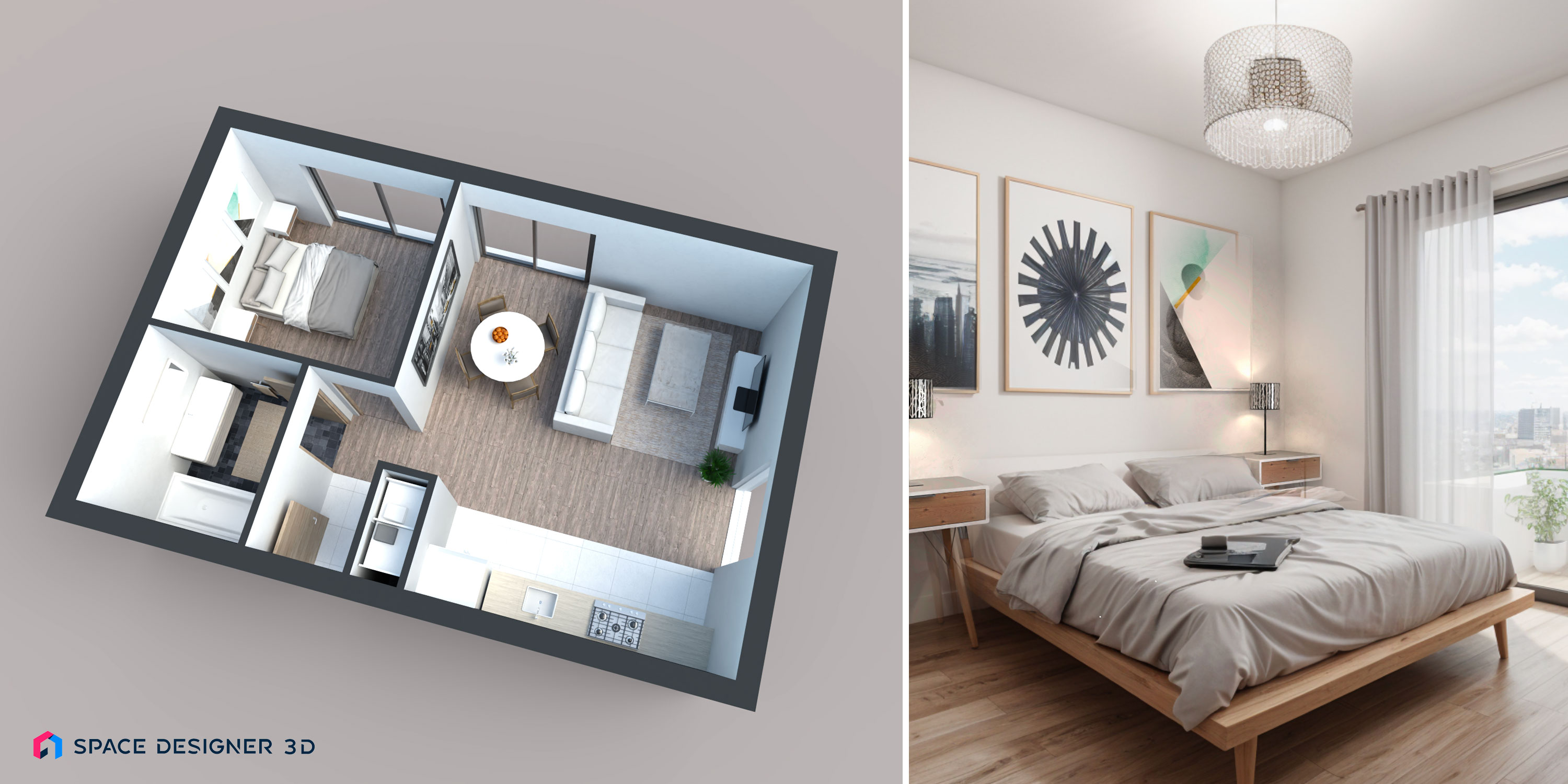
Best One-Bedroom Apartment Layouts for Small Spaces

Best One-Bedroom Apartment Layouts for Small Spaces

One-bedroom apartments are among the most flexible residential typologies. They cost less to build and furnish than larger homes, simplify daily upkeep, and adapt to a wide range of life stages: vacation cottages, rental income, accessory dwelling units, first properties, or downsizing after children leave. Below you will find ready-to-use one-bedroom apartment layouts you can open and customize in Space Designer 3D directly in your browser.

Discover One-Bedroom Apartment Templates
Two-Bedroom Apartment Layouts for Couples, Roommates, and Small Families

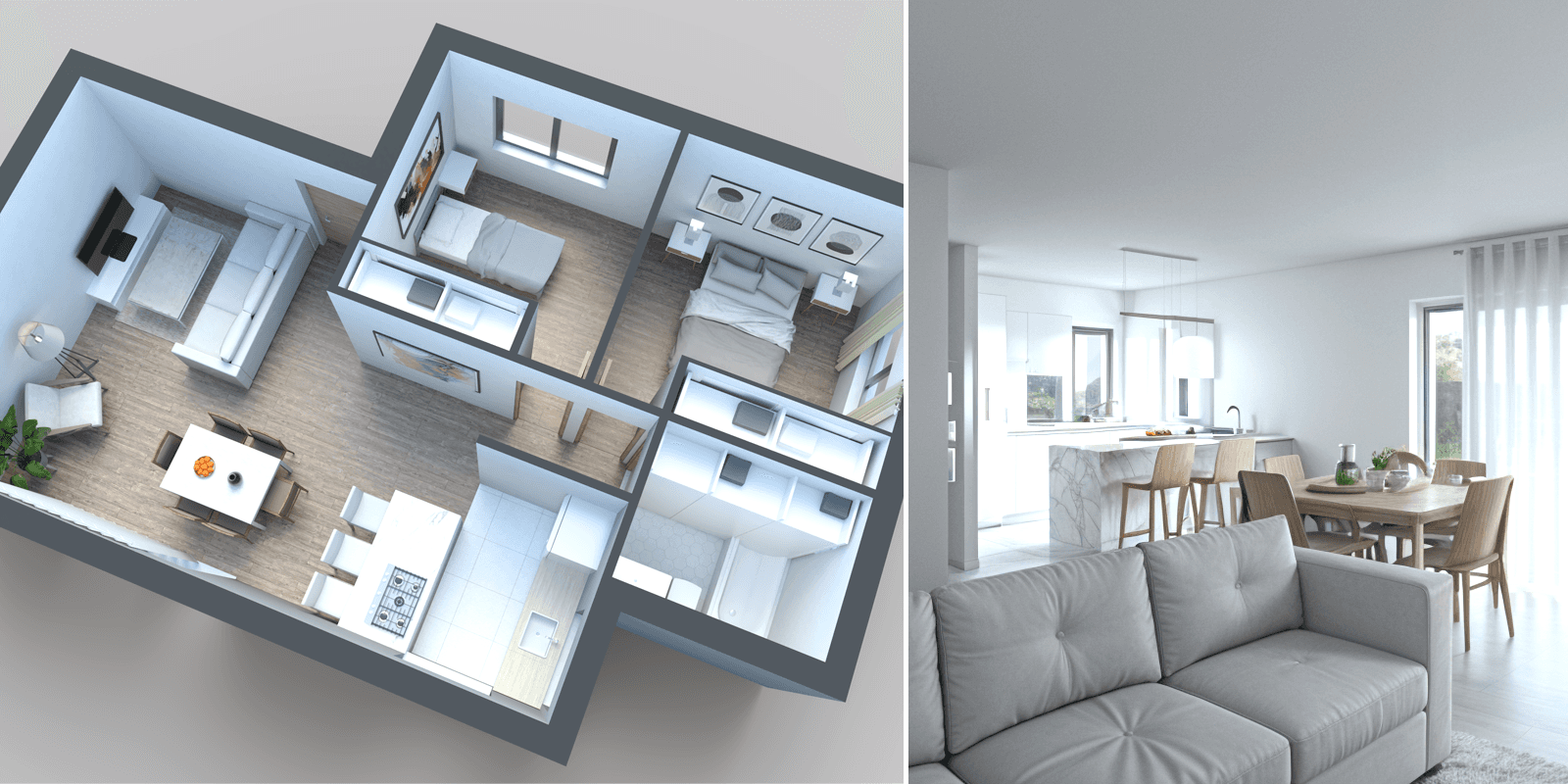
Two-Bedroom Apartment Layouts for Couples, Roommates, and Small Families

Two-bedroom apartments are the most flexible apartment typology because they support three very different households: couples who want a guest room or home office, roommates who share rent but value privacy, and small families with one young child. The right layout protects each user's privacy while keeping shared spaces inviting and connected. Below you will find two-bedroom apartment plans you can open and customize in Space Designer 3D, no installation required.

Discover Two-Bedroom Apartment Templates

What Is an Apartment Floor Plan?

An apartment floor plan is a scaled top-down drawing that shows how rooms, walls, doors, windows, and key furniture are arranged in an apartment. Architects, interior designers, real estate agents, and homeowners use floor plans to:

  • Test layout options before construction or renovation
  • Compare units when buying or renting
  • Communicate space and flow to clients, contractors, or roommates
  • Stage virtual tours and produce listing visuals

A clear floor plan reveals room dimensions, useful square footage, and how each space connects to the next, which makes it the foundation for any apartment design or refurbishment project.

Apartment Categories We Cover

We organize apartment plans by bedroom count to make exploration easier:

  • Studio apartment floor plans, open-concept layouts under 500 sq ft, ideal for single occupants or rentals in dense urban areas.
  • One-bedroom apartment floor plans, typically 400 to 1,000 sq ft (37 to 92 m²), balancing a private bedroom with open kitchen and living space.
  • Two-bedroom apartment floor plans, around 600 to 1,200 sq ft (55 to 110 m²), suited to small families, couples with a home office, or shared rentals.
  • Three-bedroom apartment floor plans, flexible layouts for growing families or multigenerational households.
  • Four-bedroom apartment floor plans, larger urban apartments, often spanning two levels or featuring a separate suite.

Each category groups ready-to-use templates and full plans you can open, edit, and export.

How to Design a Floor Plan for Your Apartment

  1. Measure the unit. Capture room dimensions, ceiling heights, and window and door positions.
  2. Sketch the structural shell. Place exterior walls, load-bearing walls, and openings to the right scale.
  3. Define zones. Decide where private (bedrooms, bath), social (living, dining, kitchen), and circulation (entry, hallway) zones go.
  4. Place fixtures and furniture. Position bathroom and kitchen fixtures first, then bring in the main furniture pieces.
  5. Visualize in 3D. Switch to 3D Model and 3D Immersive views to walk through the apartment before committing to a design.
  6. Export and share. Generate PDF, PNG, or DXF files for clients, contractors, or your own records.

Space Designer 3D handles every step in a single browser-based tool, with no installation required.

Tips for Small Apartment Layouts

  • Group plumbing on a single wall to free the rest of the apartment for living space.
  • Use sliding or pocket doors to recover the floor area that swinging doors block.
  • Build vertical: tall storage, mezzanines, and ceiling-height cabinetry reclaim square footage.
  • Define zones with rugs, furniture orientation, or partial partitions rather than solid walls.
  • Prioritize natural light by positioning the living area on the side with the largest window.

Frequently Asked Questions

How do I make a floor plan for an apartment?

Start with accurate measurements of the existing walls, doors, and windows, then sketch the outline at scale. In Space Designer 3D you can trace the shell freehand, drop in furniture from a built-in catalog, and switch to 3D to validate the result, all in your browser.

What is the best apartment floor plan software?

Browser-based floor planners are the easiest entry point because they require no installation and work on most computers. Space Designer 3D pairs an intuitive 2D Plan editor with 3D Model and 3D Immersive views, which is well suited for both quick rentals and detailed renovations.

How big is a typical one-bedroom apartment?

One-bedroom apartments usually range from 400 to 1,000 sq ft (37 to 92 m²), with most rentals sitting between 550 and 750 sq ft. Smaller plans favor open-concept layouts that combine the kitchen, dining, and living room into a single volume.

How do I make a 3D floor plan online?

Draw the 2D layout, place furniture and fixtures, then switch to 3D Model view. The plan is rendered as a real-time 3D model with realistic textures and lighting. Switch to 3D Immersive view to walk through the apartment at eye level.

Can I export my apartment floor plan?

Yes. Once your plan is ready, export it as a PDF, PNG, or DXF for CAD workflows, or share it directly through a project link.

Design Your Floor Plan in 3D

Join 6M+ users. Draw floor plans, furnish rooms, and visualize them in 3D directly in your browser.