Materials
Every surface in a project carries a material, and this is where you change it. Select what carries it, a wall, a room, a door, and click one of the material tiles in its property panel: the dialog opens on that surface. It shows the catalogue your site carries, which is not the same catalogue everywhere.
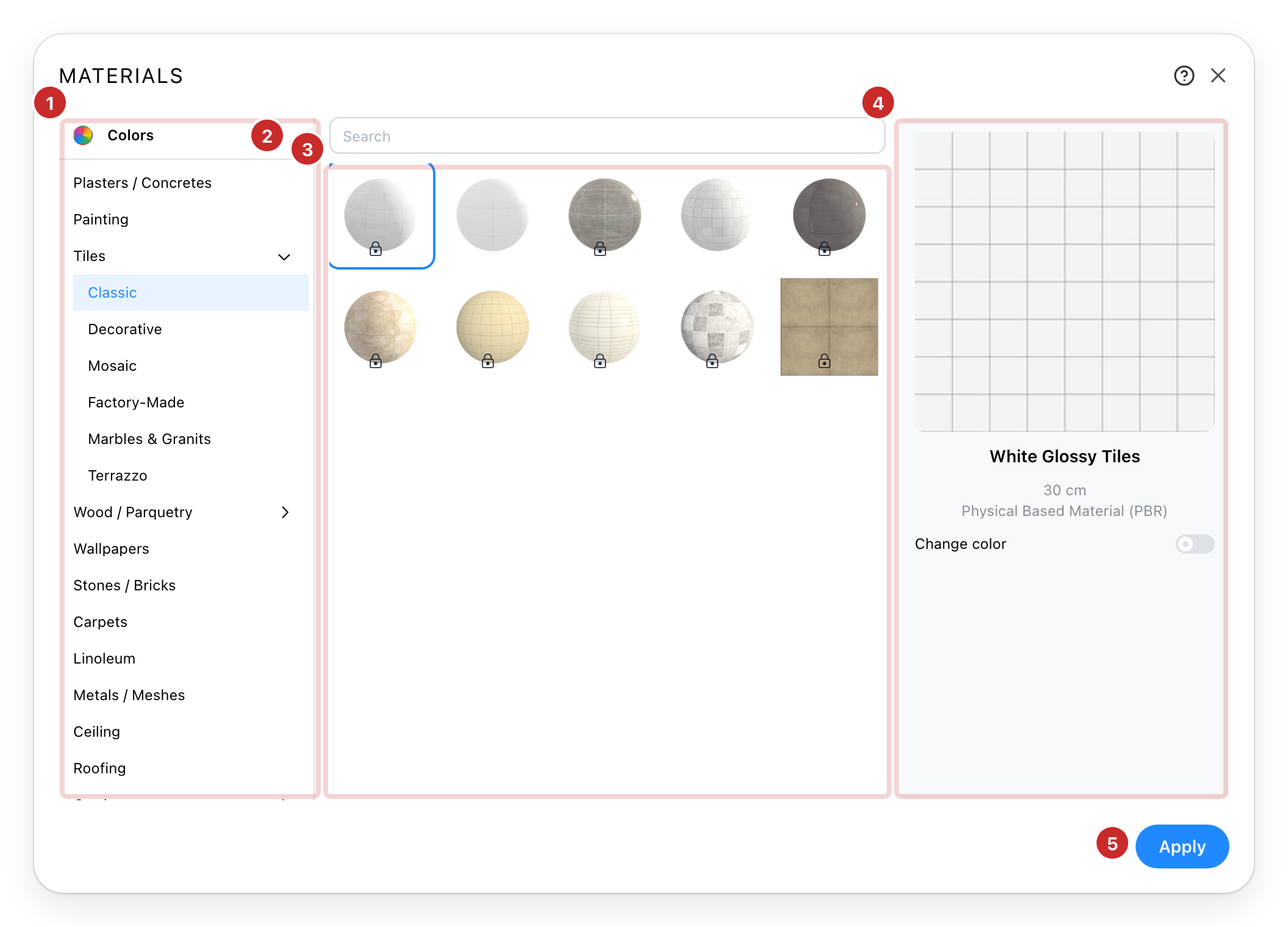
- The catalogue. Your materials, as a tree of categories. A category with an arrow holds more inside.
- Search. One field, looking through every category rather than the one you are in. It searches the names of the materials.
- The materials. What the selected category contains. Click one to choose it. A padlock marks a material your plan does not include, and says how to get it.
- The preview. The material you have chosen, shown large, with its name and its description. Change color tints a material that allows it, which is how one wood becomes several. The tint has its own transparency: the more see-through it is, the more of the texture shows.
- Apply. Nothing changes in the project until you press it.
Colours instead of a material
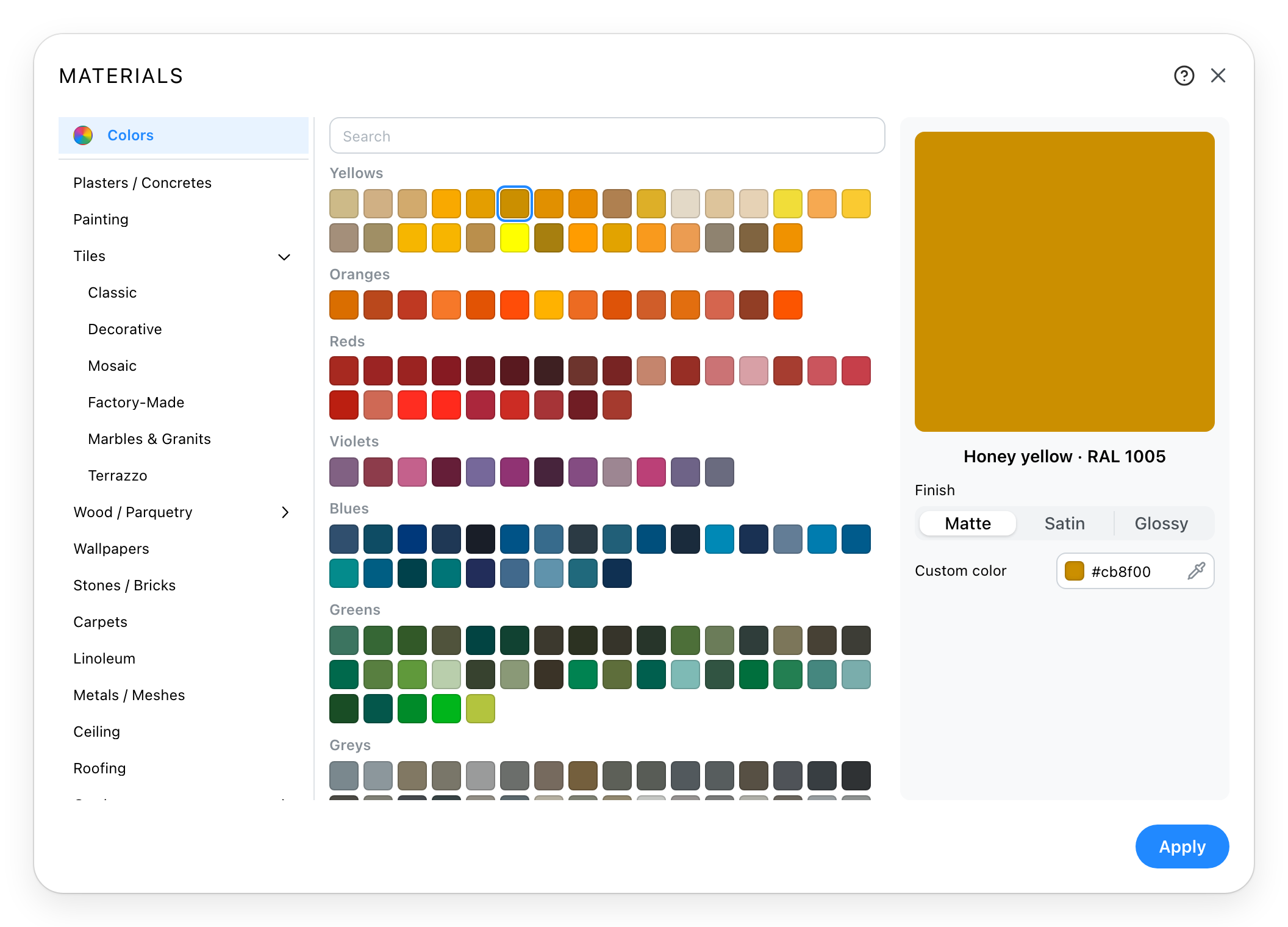
The first entry in the rail is Colors, and it stands where a category would. It holds flat colours rather than textures, for a wall you want painted rather than clad. Hovering one gives its name and its RAL code. A colour also takes a Finish: matte, satin or glossy, and Custom color picks any colour that is not in the list.
A wall in bands
On sites that allow it, a wall can carry several materials stacked up its height: a wainscot, plaster above, a painted frieze at the top.
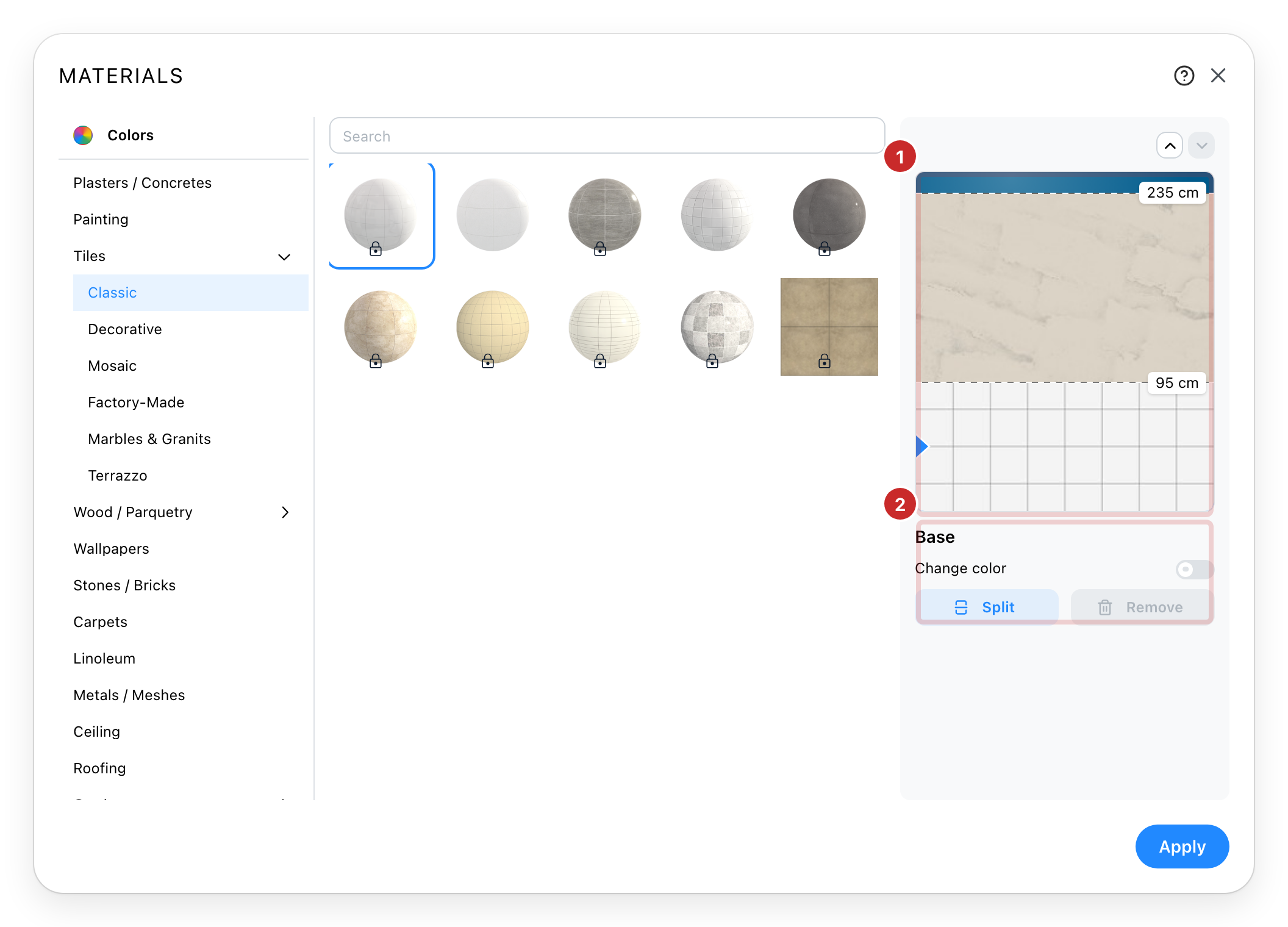
- The wall, drawn as bands. Each band shows the height it starts at. Click a band to select it, or drag the line between two bands to move it.
- The selected band. Where it begins, and Split to cut it in two or Remove to merge it back into the one below. The bottom band cannot be removed.
See also
- Catalog (Page unavailable) is where the objects come from; this is where their surfaces come from.
- Label Style (Page unavailable) sets what a room says about itself on the plan.