Zones
A zone is an area of the plan given a purpose: assembly, storage, reception, a space kept clear. It is drawn as an outline, it knows its own area, and it can be linked to the other zones it should stand close to, or away from.
Drawing one
Open the Zone Activity tab from the rail.
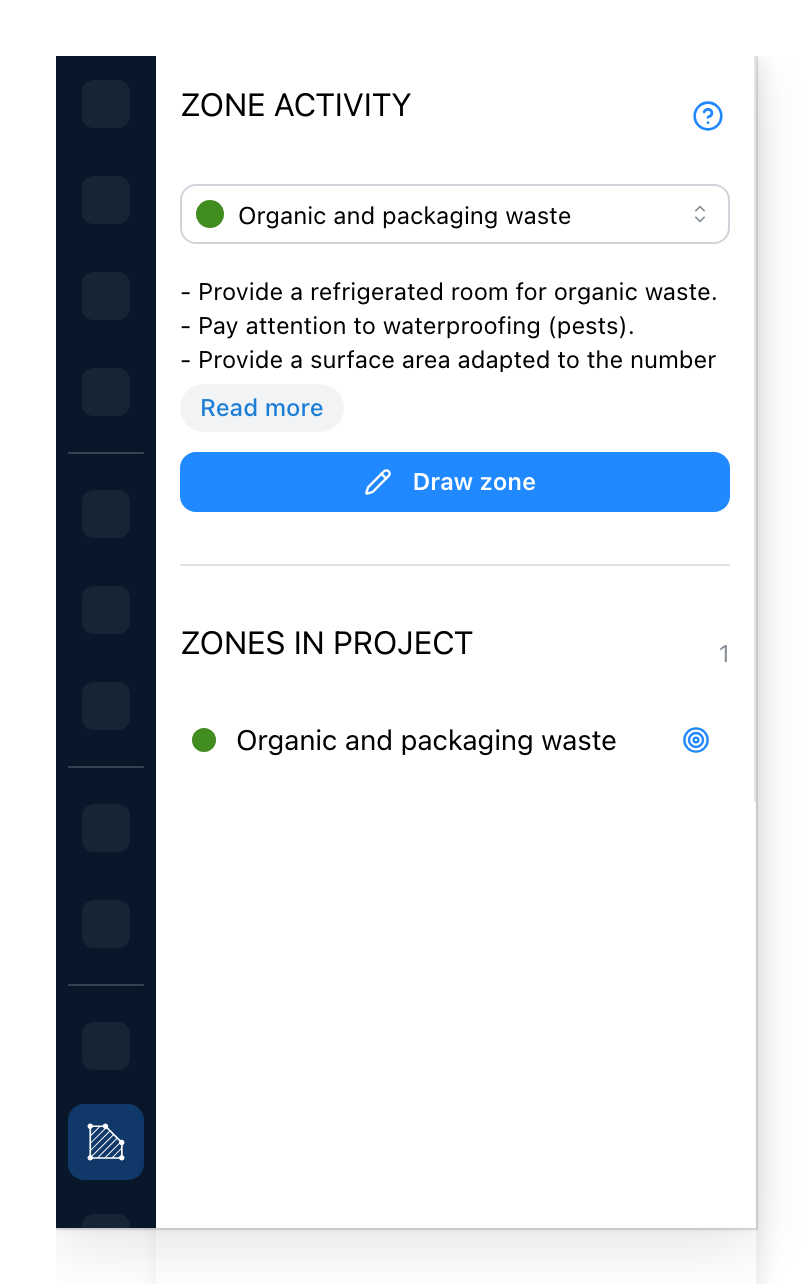
- The kind of zone about to be drawn. Under it, a few lines on what the kind needs; Read more unfolds the rest. On a site that gives its kinds a photograph, the photograph shows above these lines: a list of names is hard to choose from, a picture of the thing is not.
- Draw zone starts the outline. Click the corners on the plan and close it back on itself.
- Every zone the project already has, with its colour. Click a row, or the target beside it, to select the zone and take the view to it.
Adjusting one
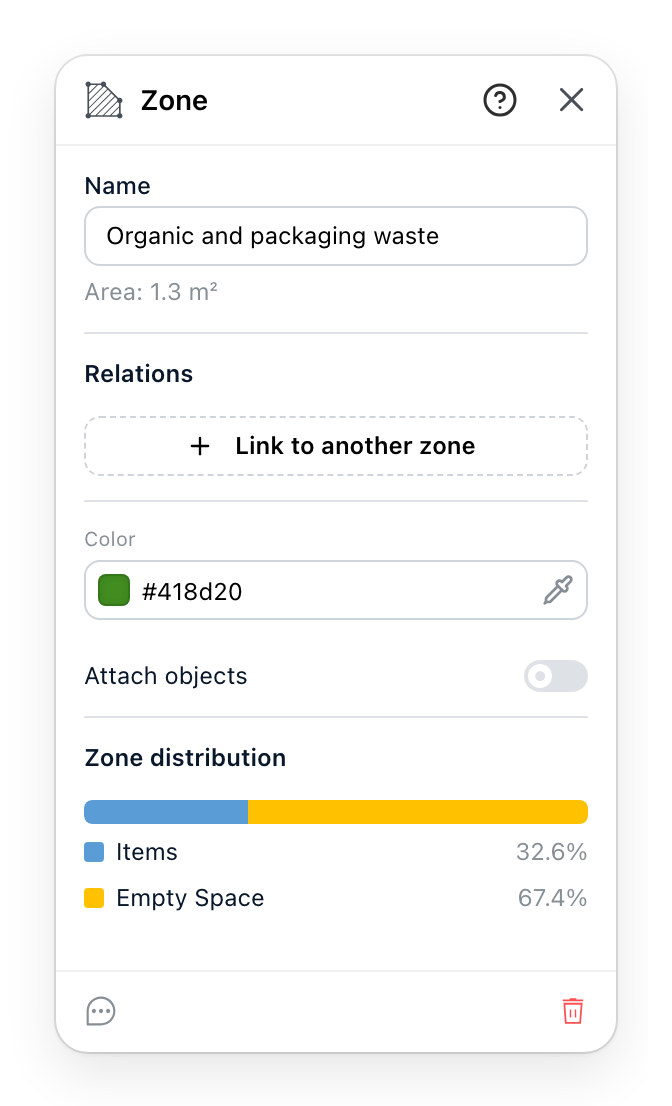
- The name, and under it the area worked out from the outline you drew. The area is read, never typed.
- Which other zones this one should be close to, or kept away from. Start a link with the button, then click the other zone on the plan; hold Cmd or Ctrl as you click to ask for distance instead. The icon on a row switches a link between close and far, and the row's menu holds its notes and its removal. The links are what make the set of zones a diagram rather than a list.
- The colour it takes on the plan, and whether the objects standing in it are attached: attached objects move with the zone when the zone is moved.
- What the floor of this zone is spent on: how much is taken by objects, by their security volumes and by routes through it, and how much is left. The number a layout is argued about.
The breakdown is the answer
The last section is why zones are worth drawing at all. A zone that spends half its floor on Pathways is a zone with a circulation problem, and the panel says so in a number rather than leaving it to the eye.
Every object on the zone's level is counted, attached or not, for the part of it that stands inside the outline. Security volumes are counted separately from their objects, so a volume lying over its own object is counted twice and the share left empty shrinks by as much.
Forbidden areas
Zoning, at the end of the Drawing Tools, draws another kind of zone: an area where nothing may stand. It is drawn the same way, corner by corner. On a site whose catalogue offers a warning zone, that item draws the same kind of area, named in your language.
Its panel is titled Forbidden area. It says that no items are allowed inside, holds the name and the colour, and lists under Items inside every object standing in the area, so what breaks the rule is read rather than looked for. It has no links and no breakdown.
See also
- Pathways are what the breakdown measures.
- Area Calculation measures rooms against a building standard, which is a different question from what a zone measures.