7 Floor Plan Mistakes to Avoid When Designing Your Home
Floor plan mistakes can be expensive to fix after construction. Here are the 7 most common errors homeowners make and how to avoid them with the right planning approach.
Good space planning starts with a good floor plan. Your home layout determines how you move, live, and feel in every room, every day. Getting the floor plan design wrong can mean wasted space, awkward room layouts, and expensive changes down the line. The good news is that most floor plan mistakes are predictable and avoidable.
Here are the 7 most common errors homeowners make when designing a floor plan, with practical space planning tips to prevent each one. Whether you're using a home layout planner or sketching on paper, these principles apply.
The 7 Mistakes at a Glance
| # | Mistake | What goes wrong | How to avoid it |
|---|---|---|---|
| 1 | Ignoring your lifestyle | Rooms don't match how you actually live | List your daily routines before drawing anything |
| 2 | Poor space allocation | Rooms too big or too small | Balance room sizes based on actual use |
| 3 | Forgetting furniture dimensions | Furniture doesn't fit or rooms feel cramped | Place furniture in your plan before finalizing walls |
| 4 | Not enough storage | Clutter builds up, rooms lose functionality | Plan storage into every room from the start |
| 5 | Bad traffic flow | Moving through the house feels awkward | Map out how people walk between rooms |
| 6 | Ignoring natural light | Dark rooms, high energy bills | Orient windows based on sun position |
| 7 | Not planning for the future | Home becomes impractical as needs change | Design flexible spaces that can adapt |
1. Ignoring Your Lifestyle
The most common room layout mistake is designing a floor plan that looks good on paper but doesn't match how you actually live. If you host dinners regularly, you need a spacious kitchen and dining area. If you work from home, a quiet office away from high-traffic zones matters more than a large living room.
How to avoid it: Before opening any floor plan software, write down how you spend a typical week at home. Which rooms do you use most? What activities need dedicated space? What might change in the next 5 to 10 years? This list becomes your space planning brief.
2. Poor Space Allocation
Oversized living rooms that feel empty. Tiny bedrooms where you can barely walk around the bed. Bathrooms too small to use comfortably. These are signs of poor space allocation, one of the hardest problems to fix after construction.
How to avoid it: List every room you need with a target size based on its function, not its perceived importance. A dining room you use twice a year doesn't need 30 square meters. Floor plan software with automatic measurements helps you see real dimensions as you draw, so you can catch imbalances early. Space Designer 3D calculates areas in real time as you adjust walls. For a well-proportioned example, see this modern three-bedroom house with open living space.
3. Forgetting Furniture Placement and Dimensions
A room might seem spacious until you try to fit a king-size bed, two nightstands, and a dresser. Many homeowners design rooms without considering the actual size of their furniture, leading to spaces that feel either overcrowded or oddly empty.
How to avoid it: Measure your existing furniture or look up standard dimensions for pieces you plan to buy. Place them in your floor plan before finalizing wall positions. Space Designer 3D includes a catalog of 5,000+ real-sized furniture items that you can drag into your plan, so you can see immediately if a room works.
4. Not Enough Storage
Storage is easy to overlook when you're focused on room layouts and aesthetics. But insufficient storage leads to clutter in every room, and clutter makes even a well-designed home feel chaotic.
How to avoid it: Plan storage into every room from the start, not as an afterthought. Think beyond closets: built-in shelving, under-stair compartments, walk-in pantries, and utility rooms all contribute. In a floor plan tool, allocate specific areas for storage and check that they're accessible from the rooms that need them.
5. Bad Traffic Flow Between Rooms
How people move through a house matters as much as how the rooms are arranged. Common traffic flow problems: the main entrance opens directly into the living room with no buffer, the bathroom is visible from the dining table, or the kitchen is far from the garage, making grocery trips exhausting.
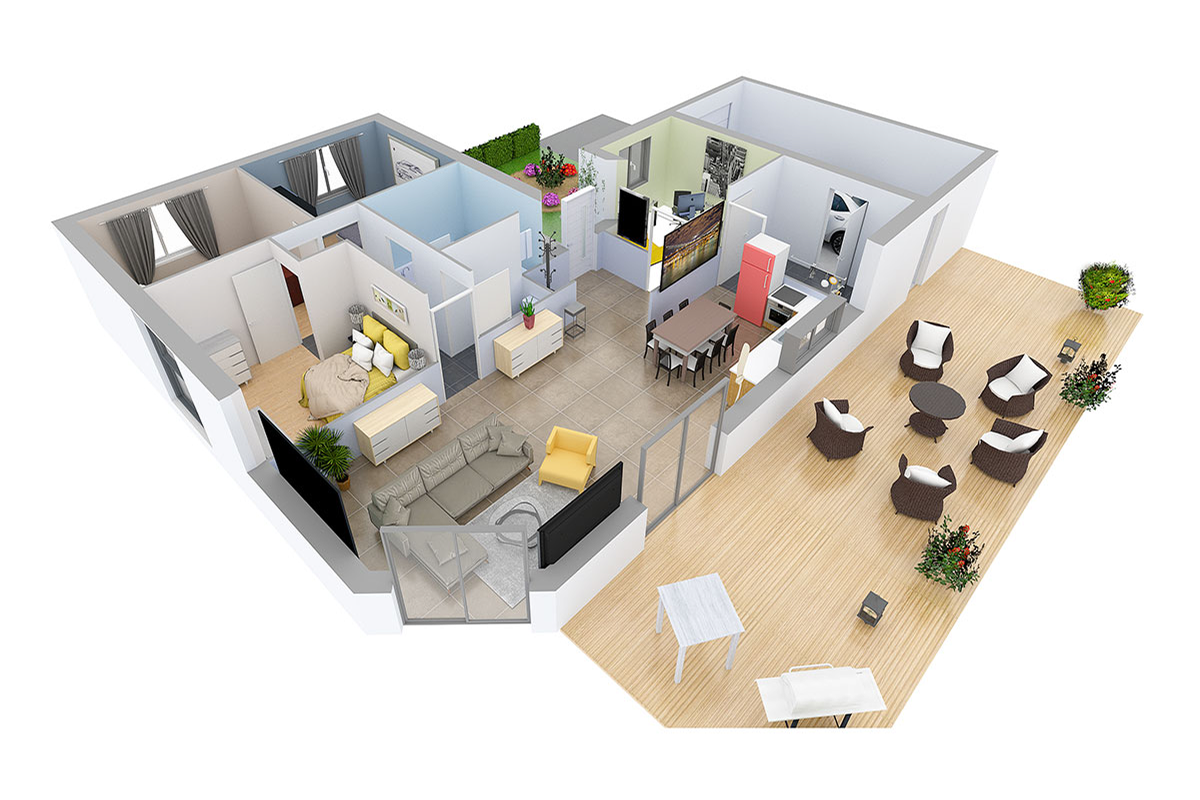
How to avoid it: Map out the paths people take between the rooms they use most. Separate public spaces (living room, kitchen) from private ones (bedrooms, bathrooms). Make sure hallways, staircases, and doorways don't create bottlenecks. A 3D walkthrough lets you "walk" through your plan virtually and spot flow issues before construction. Space Designer 3D offers real-time 3D walkthroughs for this purpose. This single-story family home with open-plan living shows how good flow keeps public and private zones distinct.
6. Ignoring Natural Light and Ventilation
Dark rooms require more artificial lighting, cost more to heat, and simply feel less comfortable. Many homeowners place windows based on what looks balanced from the outside, rather than what brings the best light inside.
How to avoid it: Orient your rooms based on the sun's path. Rooms where you spend the most time during the day (living room, kitchen, home office) should get the most natural light. Space Designer 3D lets you enter your real address and simulate sunlight at different times of day, so you can optimize window placement before building.
7. Not Planning for the Future
A floor plan designed only for today's needs can become impractical within a few years. A young couple may not plan for children. An active homeowner may not think about accessibility. These oversights often lead to expensive renovations later.
How to avoid it: Design flexible spaces. A guest room that doubles as a home office. Wider doorways that accommodate a wheelchair if needed. Extra outlets and reinforced walls for future modifications. Think about what your household might look like in 10 years and build adaptability into the plan now.
How Floor Plan Design Software Helps with Space Planning
Floor plan software eliminates guesswork by letting you test ideas before committing to construction. Space Designer 3D is designed to draw the way you sketch on paper: trace walls freely, cross them, move them, test layouts without constraints. No need for perfect lines from the start. Measurements are calculated as you go.
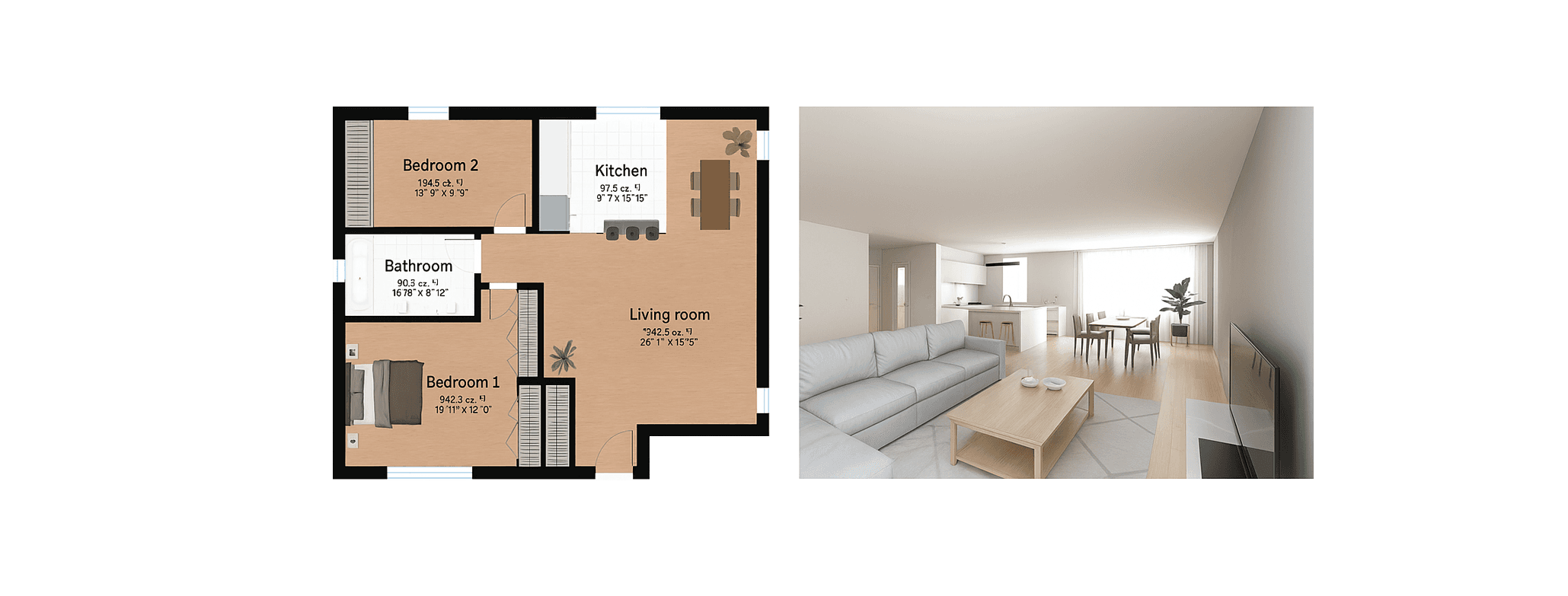
With real-time 3D visualization, you can walk through your design and catch problems like awkward traffic flow, dark corners, or rooms that feel too tight, all before breaking ground. The sun orientation feature shows you exactly how natural light will enter each room throughout the day. See it applied in this modern two-bedroom house with open-concept living.
Space Designer 3D is a browser-based floor plan tool used by over 6 million people since 2010. No download required. Start with a free plan. Highly rated on Trustpilot.
Frequently Asked Questions
What Are the Most Common Floor Plan Mistakes?
The most common mistakes are: ignoring lifestyle needs, poor space allocation, not accounting for furniture dimensions, insufficient storage, bad traffic flow between rooms, ignoring natural light and ventilation, and not planning for future changes. Most of these can be avoided by testing your layout in floor plan software before construction.
How Do I Know if My Floor Plan Has Good Traffic Flow?
Walk through your plan mentally (or in 3D) and trace the paths between rooms you use most: bedroom to bathroom, kitchen to dining, entrance to living room. If any path feels indirect, passes through another room unnecessarily, or creates a bottleneck at a doorway, the flow needs adjustment.
Should I Place Furniture in My Floor Plan Before Finalizing?
Yes. Furniture placement is one of the most overlooked aspects of floor plan design. Placing real-sized furniture in your plan helps you catch rooms that are too small, doors that open into furniture, and layouts that waste space. Floor plan tools with furniture catalogs make this easy to test.
How Can I Maximize Natural Light in My Floor Plan?
Orient your main living spaces toward the sun's path. Position windows to capture light during the hours you use each room most. Avoid placing tall structures or walls that block light between rooms. Floor plan software with sun orientation simulation, like Space Designer 3D, lets you test this before building.
What Is the Best Software to Avoid Floor Plan Mistakes?
Space Designer 3D is designed for testing layouts quickly. It draws the way you sketch on paper, with walls you can trace, cross, and move freely. Automatic measurements, real-time 3D visualization, and sun orientation help you catch mistakes like poor space allocation, bad traffic flow, and insufficient natural light before construction starts. No download needed. free plan available.
How Do I Design a Floor Plan from Scratch?
Start by listing your rooms and their functions, then sketch a rough layout on paper or in floor plan software. Focus on space planning first: how rooms connect, where traffic flows, where natural light enters. Don't worry about exact dimensions at the start. Space Designer 3D is designed for this approach: trace walls freely, move them, test different room layouts. Measurements are calculated automatically as you draw.
How Much Space Do I Need for Each Room?
Room sizes depend on your lifestyle and furniture. As a general guide: a main bedroom needs at least 12 to 15 square meters to fit a double bed and storage comfortably. A living room works well at 20 to 30 square meters for a family. Bathrooms need at least 4 to 6 square meters. Use floor plan software to test your specific furniture in each room.
More from the Blog

Space Designer 3D Turns 16: A Look Back at Its 5 Versions
In May 2026, Space Designer 3D turns 16. A look back at how the platform evolved, from the first room ever drawn in a web browser in 2010 to today's multi-device, AI-augmented edition.

AI-Powered Workspace Design: Smarter Office Layouts
AI is changing how offices are designed and managed. Here is a practical look at the tools and methods reshaping workspace planning, and how to test layouts before committing to them.

Best Floor Plan Software in 2026: 7 Tools Compared
Looking for the best online floor plan software? We compared 7 tools side by side: features, pricing, 3D quality, and ease of use. Find the right one for your project.
Design Your Floor Plan in 3D
Join 6M+ users. Draw floor plans, furnish rooms, and visualize them in 3D directly in your browser.