Your account
Account, top right of the dashboard, opens your account. Its sections are listed on the left; some depend on your plan and your site. On a phone, the window takes the whole screen and the sections become buttons at the top.
Account
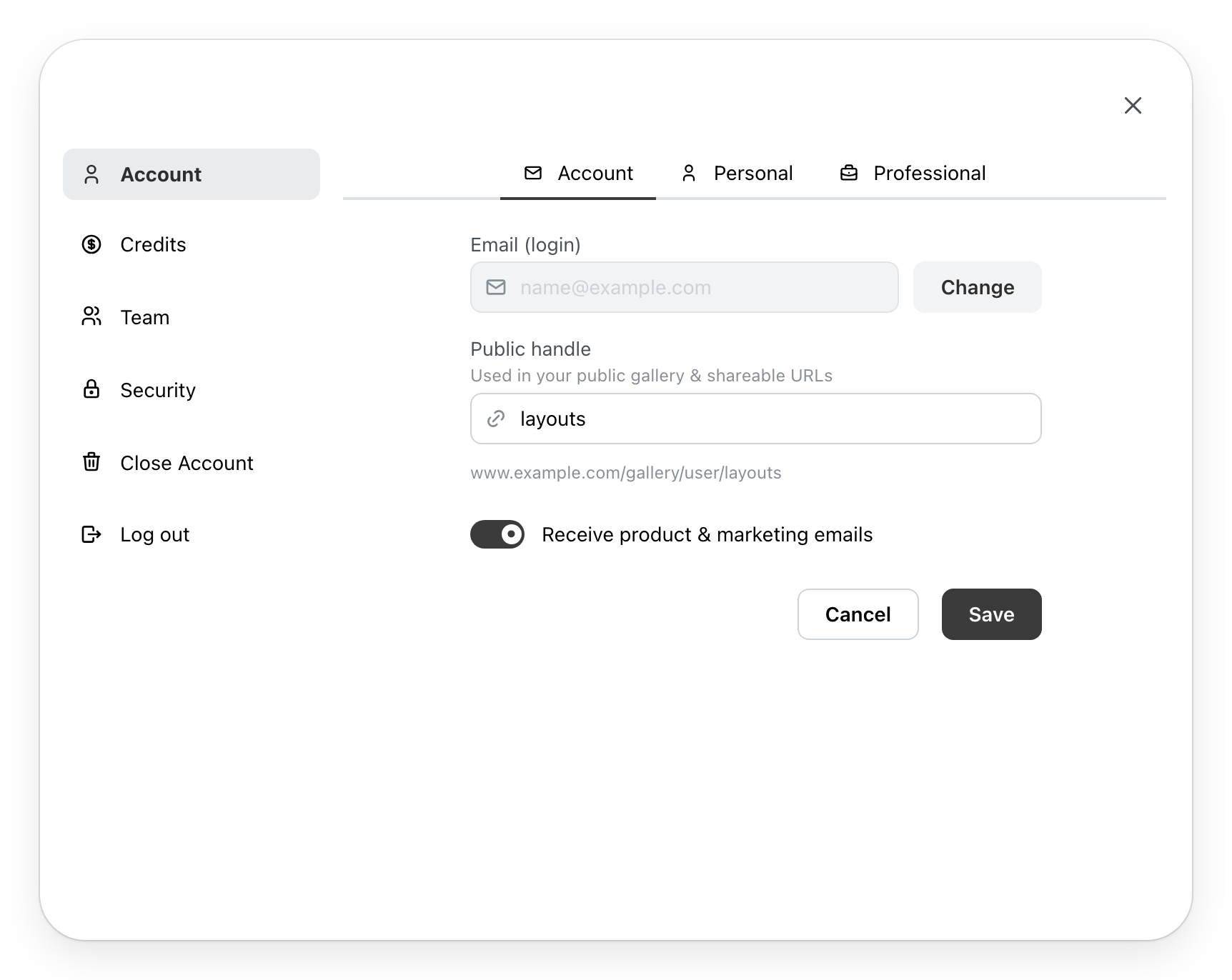
Three tabs. Save saves them together; if a field is refused, the window opens its tab.
- Account: Email (login), the address you sign in with. Change replaces it: you give the new address and your password, and a link, valid for 24 hours, reaches the new address to confirm. When Change is missing, the field says Contact support to change your login email. Below, your Public handle, the end of your gallery's address (see The gallery (Page unavailable)), and the choice to receive emails about the product.
- Personal: your Display name, the one in the emails you receive, your first and last name, your phone and your address.
- Professional: your company, your trade and your website.
Your site chooses the fields it asks for.
Credits
With a plan that uses credits. Credits pay for the services that cost some, such as renders or CAD and BIM exports. The section shows your Current Balance, your credits for the month and the date they renew, then the history of your credits, page by page. Depending on your site, Buy Credits offers packs of credits; in a team, only the manager buys them.
Team
In a team. It shows the number of members and of seats, the list of members and the invitations under way. A manager invites a member by email address, with their role, Designer or Manager. A member's menu transfers their projects, gives them credits, opens their account (Login as) or removes them from the team; the team leader also changes their role there. Manage seats changes the team's number of seats. A designer sees the list only.
Billing
Your plan, its state and the next payment date. The buttons change with your situation: Update My Plan, Compare plans, resuming or restarting a subscription. The payment card is added or changed here. Show invoices lists your invoices, each as a PDF, and an open invoice is settled with Approve or Retry payment. Contact Support opens the site's contact page. A team member who is not the leader does not see this section.
Security
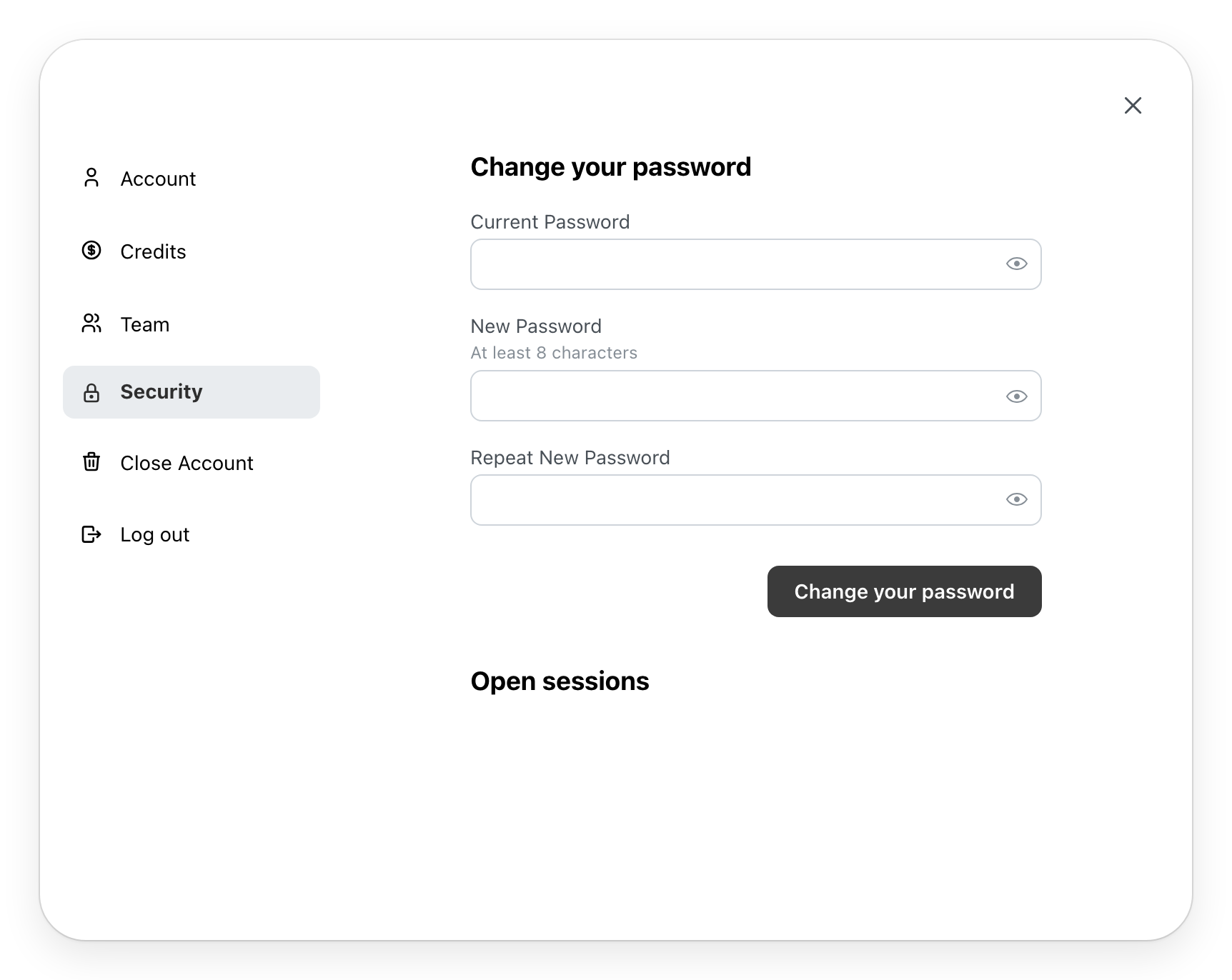
Change your password asks for the current one, then the new one twice. Open sessions lists the devices signed in to your account, This device first. Sign out ends a session; Sign out all other sessions ends all of them except yours.
Log out
Log out asks you to confirm, then takes you back to the sign-in page.