The gallery
Your gallery is a public page that shows your Public projects, at an address of your own. You send it to a client, or link it from your website. It depends on your plan.
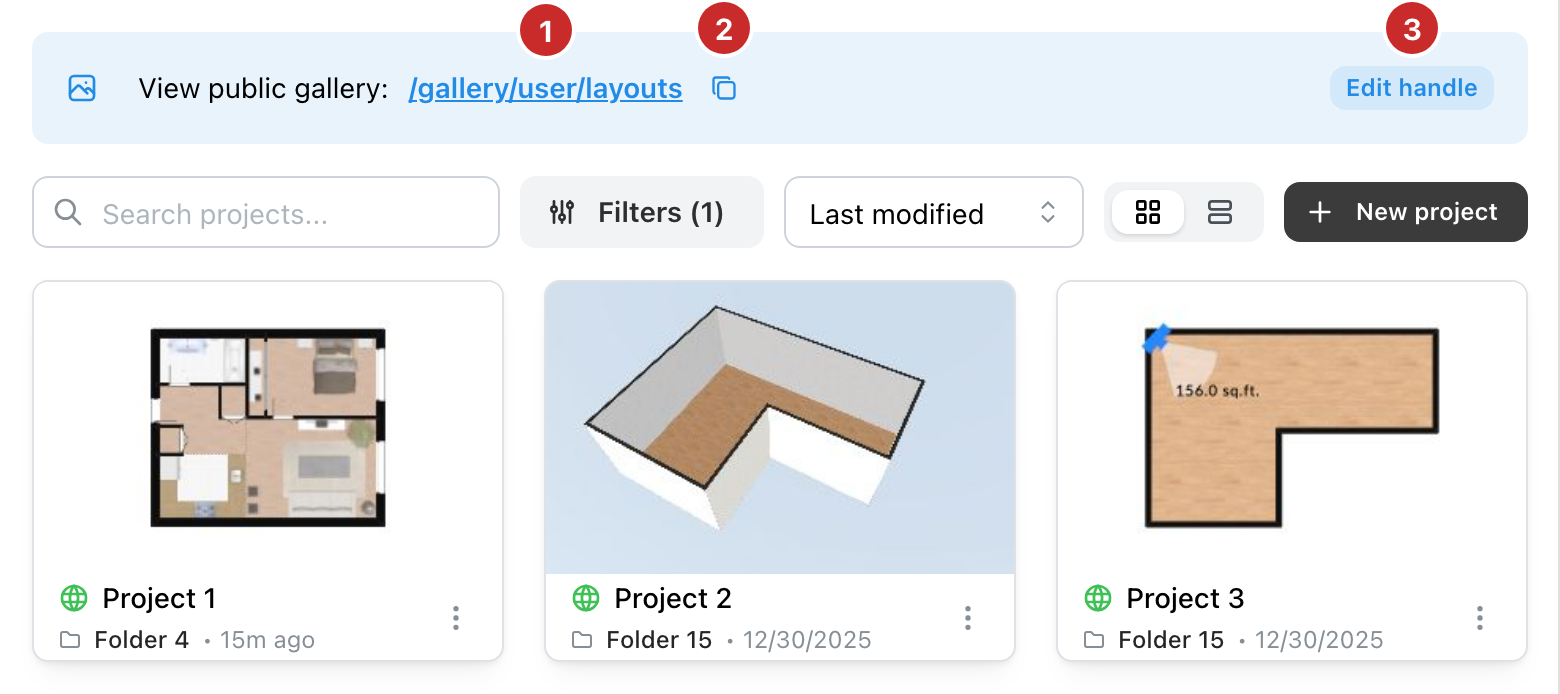
- The gallery's address. A click opens it in a new tab.
- Copy. Copies the address, to paste in a message.
- Edit handle. Opens your account, where the end of the address is changed.
What it shows
Gallery, in the left column, lists your public projects, from all your folders. A project enters it when its visibility is Public, and leaves it when that changes. The visibility is set in Project information (see The project menu (Page unavailable)).
A visitor to the gallery searches and filters your projects, by label, number of rooms or area. A click on a project opens its presentation.
The handle
The gallery's address ends with your Public handle. You choose it in Account, on the Account tab (see Your account (Page unavailable)). Without a handle, the view shows Set your handle to enable your gallery, with a button to your profile.