The project menu
The three dots of a card, or of a table row, open the project's menu.
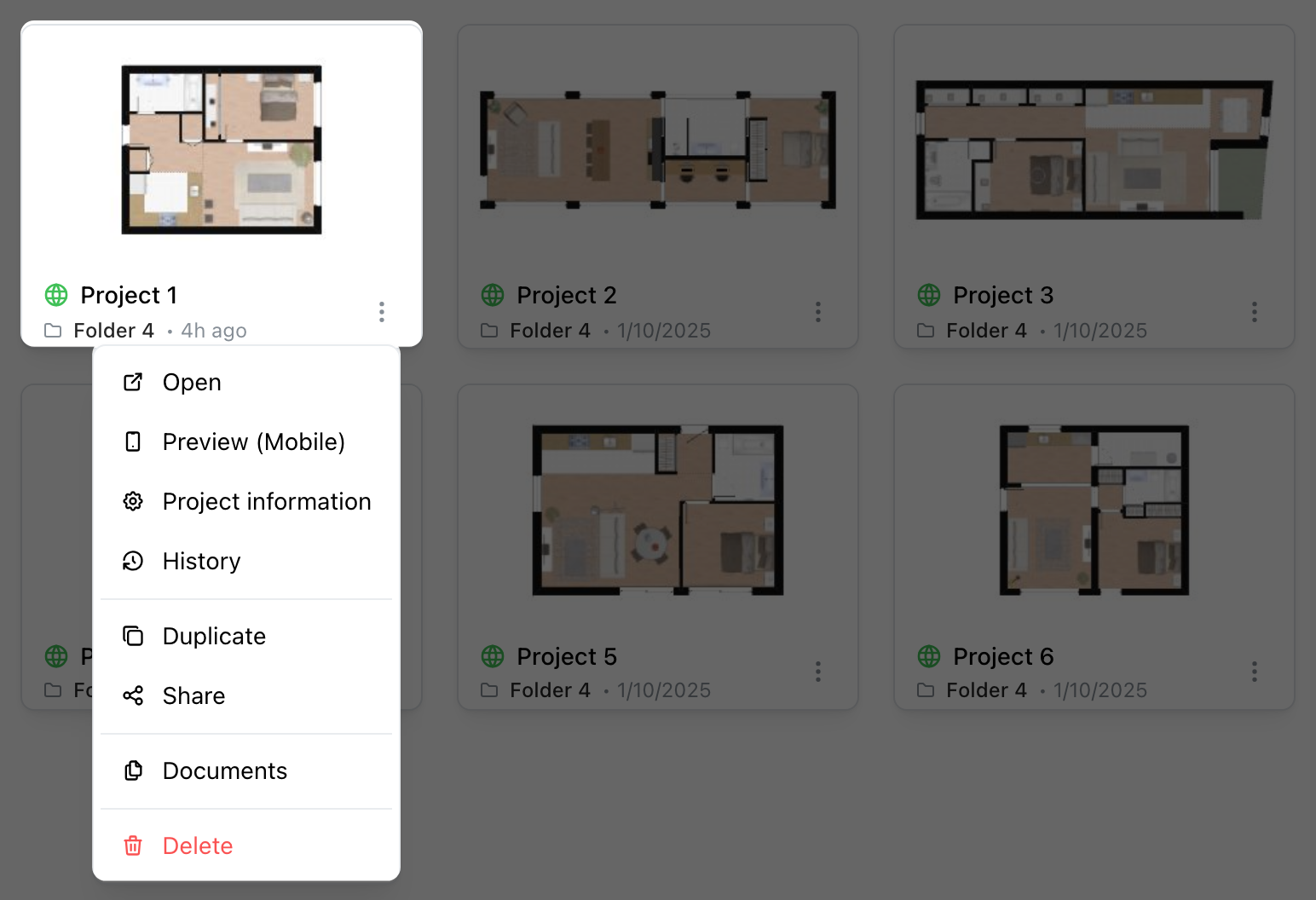
- Open opens the project in the editor.
- Preview (Mobile) shows the project as on a phone, in a new tab.
- Project information opens its details, described below.
- History lists its saves, described below.
- Provider info, on the sites that have it, presents the project's provider.
- Duplicate makes a private copy of the project, named with « (Copy) » at the end, in Uncategorized.
- Share gives the project's link and invites collaborators. See Sharing (Page unavailable).
- Documents, depending on your site, attaches files to the project: JPG, PNG, PDF, DOC, DOCX, DWG or TXT, 25 MB at most each, several at once. Each one is downloaded or deleted, after you confirm, from the same window.
- Delete, after you confirm, removes the project from the dashboard. On a project shared with you, only your copy goes; the project stays with its owner.
Project information
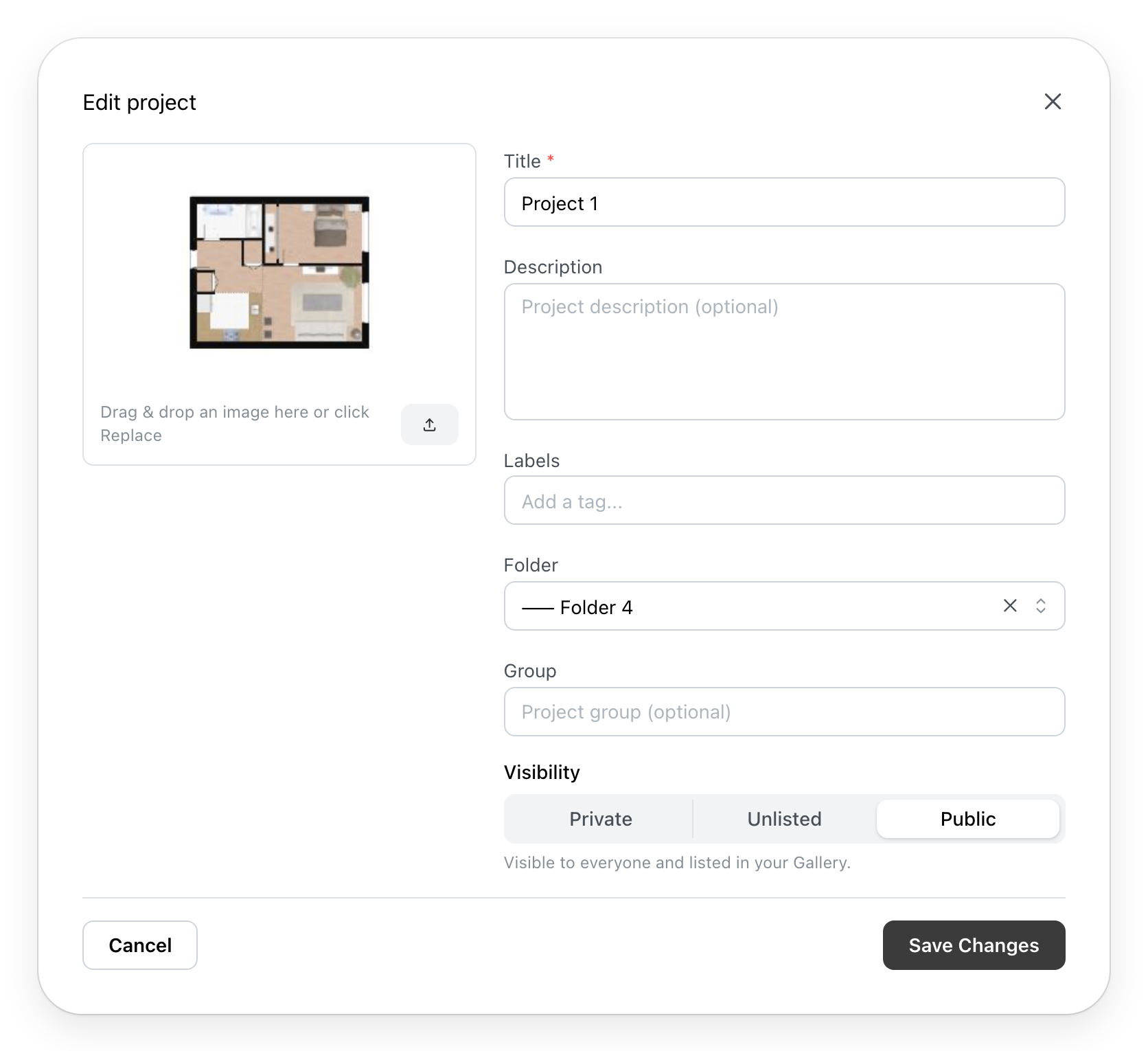
- The picture of the card. Drop an image on it, or click the upload button, to replace it: PNG, JPEG or WebP. The new picture is saved at once; Cancel does not remove it.
- Summary: the area, the number of rooms and of levels, when the project knows them.
- Title, Description and Labels. A comma separates two labels. On a shared project, these three fields change for everyone who has the project.
- Folder puts the project in a folder. See Folders (Page unavailable).
- Group, depending on your site, a free name found again in the table and the search.
- Visibility: who can open the project from its link.
- Private: you alone, and the collaborators you invited.
- Unlisted: anyone with the link can view it.
- Template, for a team leader: the members of the team can start their own project from this one.
- Public: everyone can view it, and it appears in your gallery.
Save Changes keeps the changes.
History
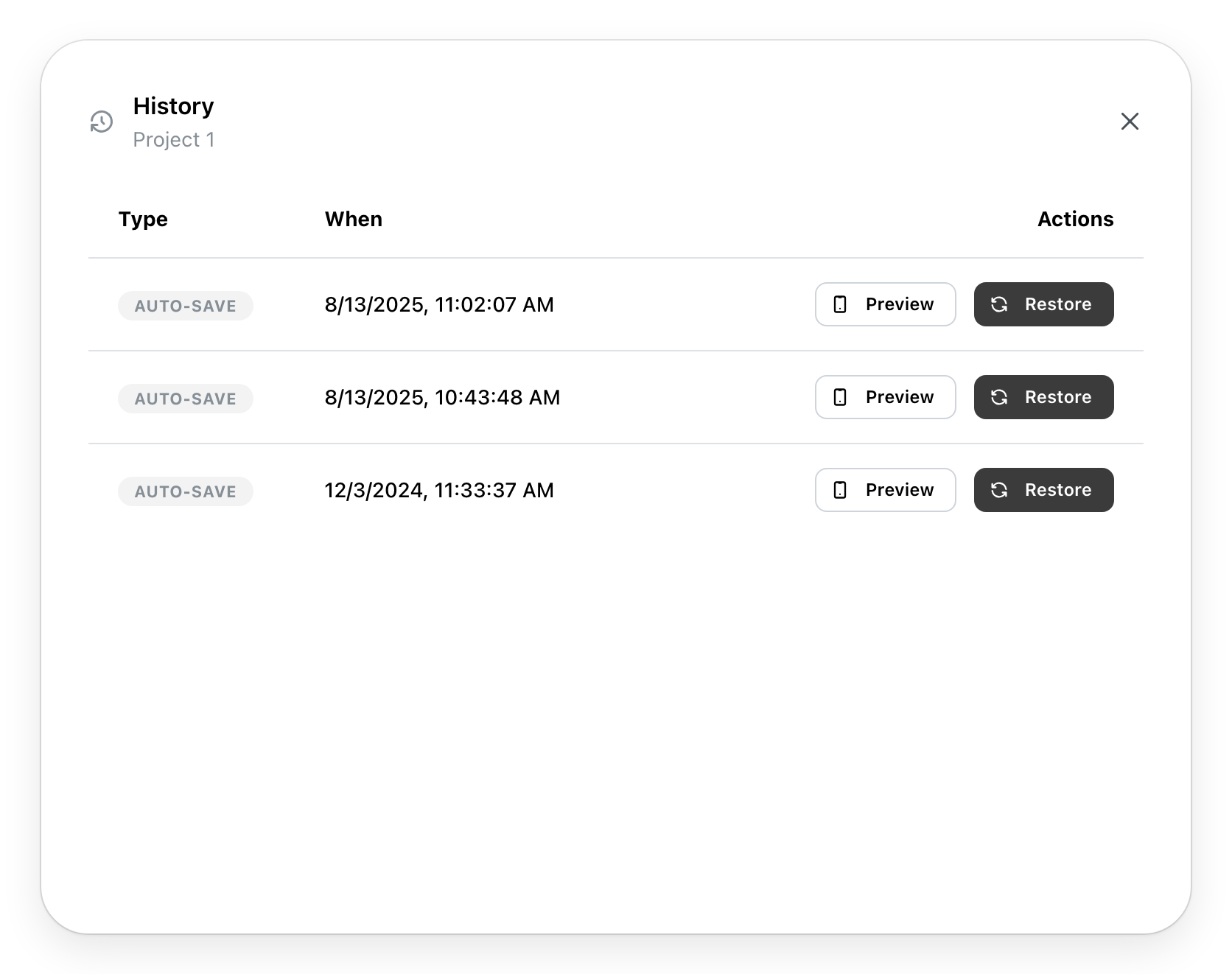
Each row is a save of the project: Auto-save, Snapshot (a save made by hand) or Restored, with its date. Preview opens that version in a new tab. Restore, after you confirm, makes it the latest version of the project; the others stay in the list. The first row is the current version: it has no Restore.