RoomScan
A phone with LiDAR walks a home and produces a scan. The Import Scan tab of the rail brings it in: type the Share ID the companion app gives the scan, press Import, then click on the plan to place it.
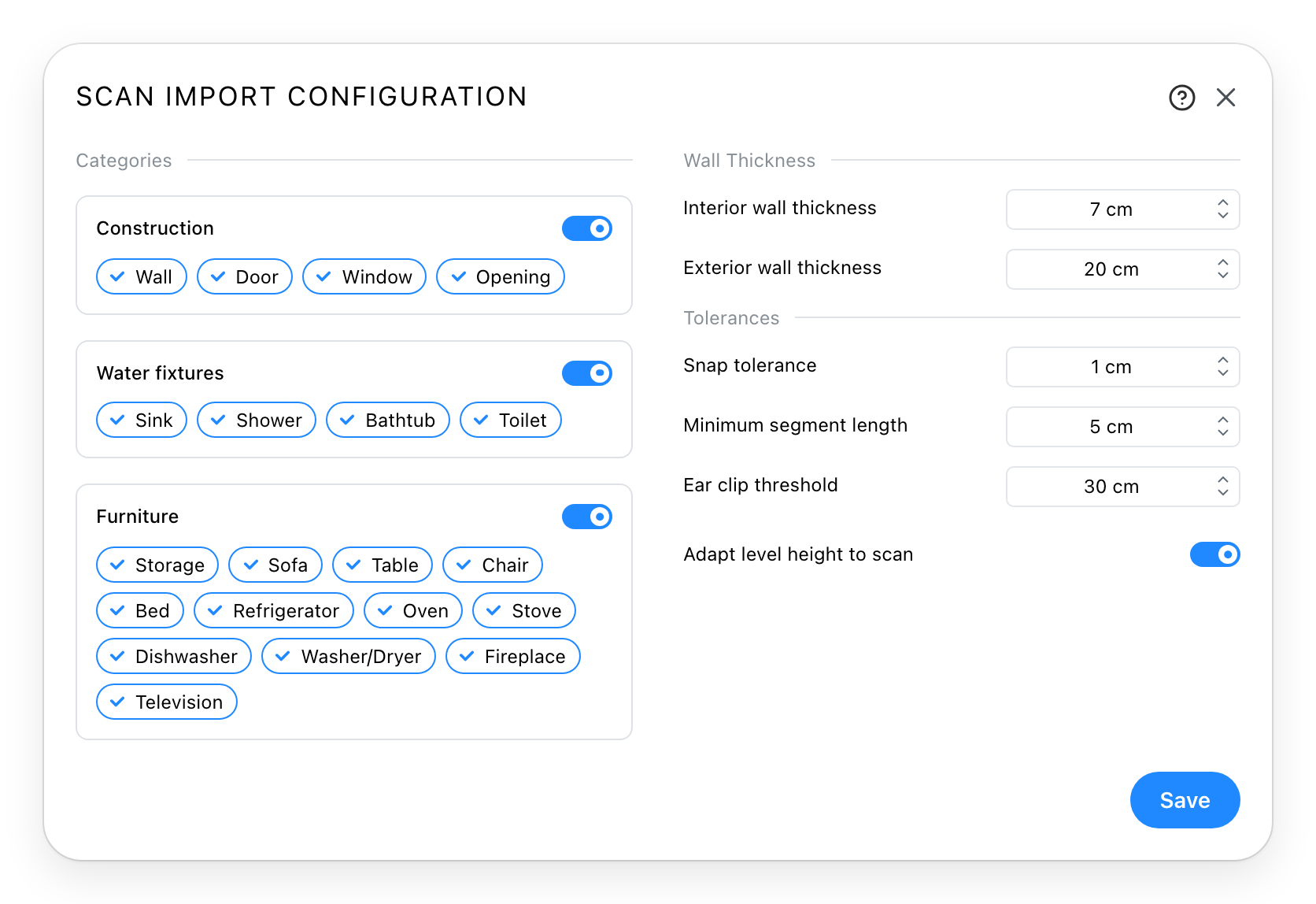
This dialog decides what Space Designer takes from the scan, and how it builds the walls on the way in. Open it with Advanced settings in the tab, once a scan is loaded and before you place it on the plan. Save keeps the settings for the project. The tab itself repeats the two wall thicknesses and the level height box, and its Preset picks the categories for you: All, Construction only, Construction + Water fixtures, or Custom once you choose them one by one.
What comes in
The left half is a list of everything a scan can contain, in three groups. Everything starts switched on; take away what you do not want.
The switch on a group drops the whole group at once. The chips under it are individual: turn off Television and every other piece of furniture still arrives.
Turning a group off and on again brings all of it back, not the selection you had.
Wall thickness
A scan measures surfaces, not construction, so it knows where a wall face is and not how thick the wall is. These two numbers are what Space Designer builds with: one for walls inside the dwelling, one for those on the outside.
They are worth setting before the import rather than fixing sixty walls afterwards.
Tolerances
Snap tolerance, Minimum segment length and Ear clip threshold are meant to clean up what a hand-held scan gets slightly wrong. They are saved with the project, but the import does not use them: changing them does not change what arrives.
Adapt level height to scan. Sets the level's height from the ceiling the scan measured, when that ceiling is between 2 and 4 m, rather than keeping the project's default. The imported walls at least 1.20 m high then follow the level's height.
Nothing here changes a scan you have already imported. Set it, then import.
See also
- Levels holds the height this dialog can set for you.
- Drawing Tools is what you finish the imported shell with.