Visuels photoréalistes
Générez des rendus 3D photoréalistes en un clic, AI Boost et intégration partageable. Fonctionne dans votre navigateur, sans installation.
Rendus photoréalistes en quelques secondes, visuels améliorés par IA et promenades 3D partageables, tous générés depuis un seul projet. Space Designer 3D transforme les plans en images 3D immersives directement depuis votre navigateur. Le rendu cloud tourne en arrière-plan pendant que vous continuez à concevoir.
Comment fonctionne le rendu 3D en ligne
La promenade 3D en temps réel est intégrée à l'éditeur. Basculez en vue Maquette 3D ou en vue 3D Immersive pour naviguer dans votre espace, tester les matériaux et vérifier les proportions en direct. Pour un rendu haut de gamme, lancez un rendu 3D photoréaliste. Le pipeline cloud traite votre scène sur des serveurs GPU dédiés et délivre une image en quelques secondes à quelques minutes, selon la résolution et la complexité.
Vous pouvez aussi améliorer toute capture 3D avec l'AI Boost, une amélioration par IA qui augmente la résolution et améliore l'éclairage et les détails. Pour le partage, générez un lien 3D ou intégrez le viewer interactif directement sur votre site web.
Du modèle 3D au visuel final
- Concevez votre espace dans l'éditeur de plan 3D.
- Ajustez l'éclairage, les matériaux et l'heure de la journée.
- Choisissez votre format de sortie :
- Promenade 3D en temps réel dans votre navigateur.
- Rendu 3D photoréaliste en un clic, traité dans le cloud.
- AI Boost pour améliorer une capture ou un rendu.
- Lien 3D partageable pour vos clients, ouvert dans leur navigateur.
- Embed iframe pour intégrer le viewer 3D dans votre propre site.
- Téléchargez ou partagez le résultat final.
Tester le rendu 3D gratuitement
Capacités de rendu 3D intégrées
| Capacité | Ce qu'elle fait |
|---|---|
| Rendu 3D photoréaliste en un clic | Génère des images haute fidélité depuis toute scène 3D. Propulsé par un moteur de rendu physique de qualité studio. |
| Pipeline GPU cloud | Les rendus sont traités sur des serveurs GPU dédiés. Vous continuez à travailler pendant que les jobs tournent. |
| AI Boost sur captures et rendus | Amélioration et upscale par IA de toute sortie 3D. Détails plus nets, éclairage amélioré en quelques secondes. |
| Promenade 3D en temps réel | Navigation à la première personne dans votre espace, sans attente de rendu. |
| Lien 3D partageable | Envoyez un seul lien. Le destinataire ouvre le modèle 3D interactif dans son navigateur, sans compte. |
| Embed iframe pour votre site | Intégrez le viewer 3D directement sur votre annonce immobilière, fiche e-commerce ou portfolio. |
| Viewer mobile allégé | Interface simplifiée pour le partage de rendus 3D sur smartphone et tablette. |
| Arrière-plans et skybox personnalisés | Placez votre design dans un environnement choisi pour vos visuels marketing. |
| Heure de la journée et lumière naturelle | Testez l'entrée du soleil dans votre espace à toute heure, avant de lancer le rendu 3D photoréaliste. |
| Points d'intérêt cliquables en 3D | Ajoutez des bulles interactives que vos visiteurs cliquent pour révéler des informations sur un objet ou une zone. |
| Gestion de la file de rendus | Soumettez plusieurs rendus 3D. Le pipeline les traite dans l'ordre pendant que vous continuez à concevoir. |
Qui utilise notre logiciel de rendu 3D
Les architectes d'intérieur vendent leurs projets avec des images qui paraissent réelles, pas des esquisses. Un rendu 3D photoréaliste d'une pièce finie communique mieux qu'une planche d'inspiration, et les clients valident plus vite quand ils voient le résultat à venir.
Les agents immobiliers mettent en valeur leurs biens avec des rendus qui montrent des versions meublées ou rénovées d'espaces vides. L'AI Boost transforme une simple capture en visuel partageable pour vos annonces, vos réseaux sociaux et vos brochures imprimées.
Les architectes présentent leurs concepts sous forme de promenades 3D que les parties prenantes consultent à leur rythme. Le rendu 3D architectural partagé en lien remplace les longues réunions de validation.
Les enseignes de meubles et les marques de cuisines intègrent le viewer 3D sur leurs fiches produits. Les clients voient l'objet dans une pièce mise en scène, en 3D, avant de l'ajouter au panier.
Les portails immobiliers intègrent Space Designer 3D en iframe sur leurs annonces. Les acheteurs explorent l'appartement en rendu 3D intérieur directement depuis l'annonce, sans quitter le site.
Commencer le rendu 3D maintenant
Pipeline de rendu de qualité professionnelle
- L'infrastructure GPU cloud fait évoluer la capacité de rendu automatiquement.
- La simulation de lumière physique gère ombres, reflets et réfractions réalistes.
- Plusieurs formats de sortie : PNG, HDR et EXR pour la post-production.
Même classe de technologie de rendu que celle utilisée dans les studios 3D professionnels, accessible depuis n'importe quel navigateur.
Space Designer 3D face aux autres logiciels de rendu 3D
| Capacité | Space Designer 3D | Autres logiciels de rendu 3D |
|---|---|---|
| Rendu en un clic depuis le plan | Oui, même projet | Souvent export vers un outil de rendu séparé |
| Dans le navigateur, sans installation | Oui | Souvent installation desktop ou plugin |
| Pipeline GPU cloud | Oui, moteur physique de qualité studio | Rendu CPU local, lent |
| AI Boost sur captures | Oui | Rare |
| Lien 3D partageable | Oui | Rare |
| Embed iframe sur votre site | Oui (Business et Enterprise) | Rare |
| Viewer mobile allégé | Oui | Souvent non optimisé |
| Catalogue de meubles 3D inclus | Des milliers d'objets | Limité |
Questions fréquentes
Qu'est-ce qu'un logiciel de rendu 3D ?
Un logiciel de rendu 3D transforme un modèle 3D en image 2D qui simule la lumière, les matériaux et les ombres de façon réaliste. Space Designer 3D est un logiciel de rendu 3D en ligne pour vos plans d'aménagement : dessinez en 2D, basculez en 3D et lancez un rendu 3D photoréaliste en un clic, depuis votre navigateur.
Existe-t-il un logiciel de rendu 3D gratuit en ligne ?
Space Designer 3D propose un plan gratuit du logiciel de rendu 3D en ligne complet, avec accès aux éditeurs 2D et 3D et aux exports de base. Le rendu 3D photoréaliste est disponible sur les forfaits payants. Commencez gratuitement.
Combien de temps prend un rendu 3D ?
La plupart des rendus 3D photoréalistes se terminent en moins d'une minute. Les résolutions élevées et les scènes complexes avec beaucoup de meubles peuvent prendre quelques minutes. Vous continuez à travailler pendant que le rendu tourne dans le cloud.
Qu'est-ce que l'AI Boost ?
L'AI Boost est une amélioration par IA appliquée à vos captures ou rendus 3D. Il augmente la résolution, affine les détails et améliore l'éclairage. Utile quand vous voulez un visuel soigné sans lancer un rendu 3D photoréaliste complet.
Peut-on faire du rendu 3D architectural en ligne ?
Oui. Les architectes utilisent Space Designer 3D pour produire des rendus 3D architecturaux directement depuis un plan. Murs, ouvertures, niveaux et éclairage sont tous reflétés dans le moteur de rendu. La sortie convient aux présentations clients, dossiers de permis et supports marketing.
Puis-je partager un lien de rendu 3D avec mes clients ?
Oui. Générez un lien partageable et envoyez-le par email ou messagerie. Le destinataire ouvre le modèle 3D interactif dans son navigateur, sans compte, sans plugin et sans installation.
Puis-je intégrer Space Designer 3D sur mon site ?
Oui, sur les forfaits Business et Enterprise. L'embed iframe permet d'intégrer le viewer 3D interactif directement dans votre fiche produit, votre annonce ou votre portfolio. Les clients explorent le design sans quitter votre site.
Quelles résolutions sont disponibles pour les rendus 3D ?
Les rendus 3D standard couvrent les résolutions adaptées au web. Les forfaits premium débloquent des résolutions plus élevées pour l'impression et les supports marketing. Les détails de résolution maximale et de tarif sont sur la page tarifs.
La technologie de rendu est-elle de niveau professionnel ?
Oui. Le pipeline utilise une technologie de rendu physique de la même classe que celle utilisée dans de nombreux studios 3D professionnels, simulant la lumière, les matériaux et les ombres réels.
Quelle est la différence entre la promenade 3D et le rendu 3D photoréaliste ?
La promenade 3D est temps réel et interactive : vous naviguez librement. Le rendu 3D photoréaliste produit une image fixe depuis un angle de caméra choisi, avec une simulation complète de la lumière physique. Les deux sont disponibles depuis le même projet.
Puis-je télécharger les images rendues ?
Oui. Les rendus standard sont livrés en PNG. Les sorties premium incluent HDR et EXR pour la post-production dans des outils comme Photoshop ou Lightroom.
Découvrir plus de fonctionnalités
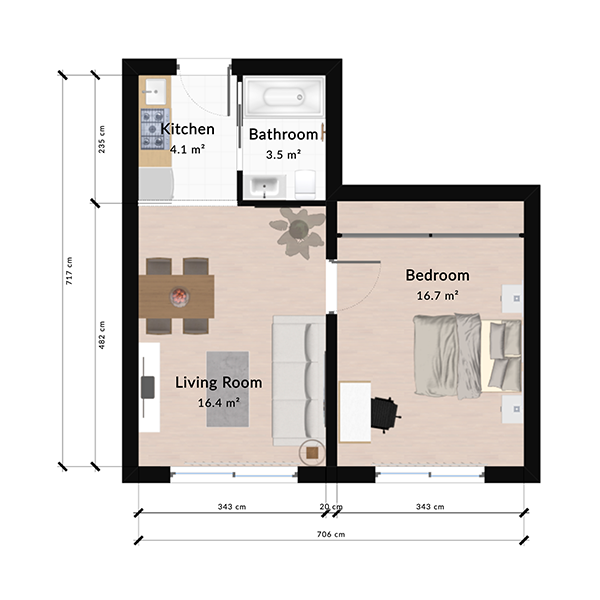
Conception de plans 2D
Dessinez des plans 2D précis en ligne avec mesures automatiques, accrochage intelligent des murs et aperçu 3D instantané. Plan gratuit, sans installation.
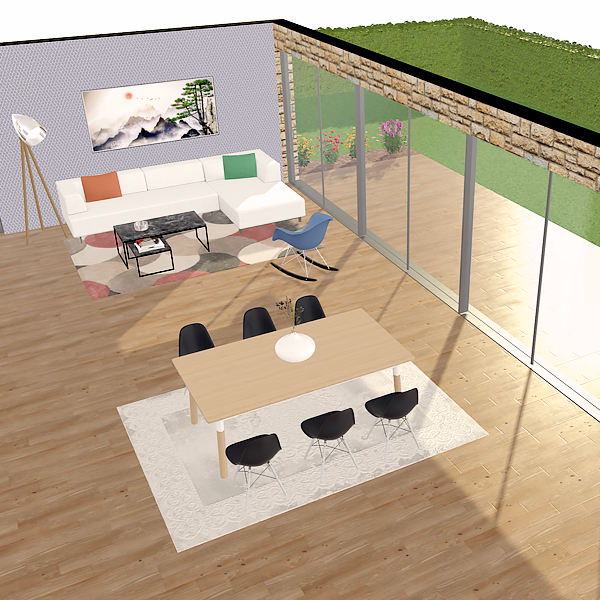
Création de plans 3D
Concevez vos plans 3D dans votre navigateur. Promenez-vous dans vos pièces, testez les matériaux et explorez votre projet. Plan gratuit, sans installation.
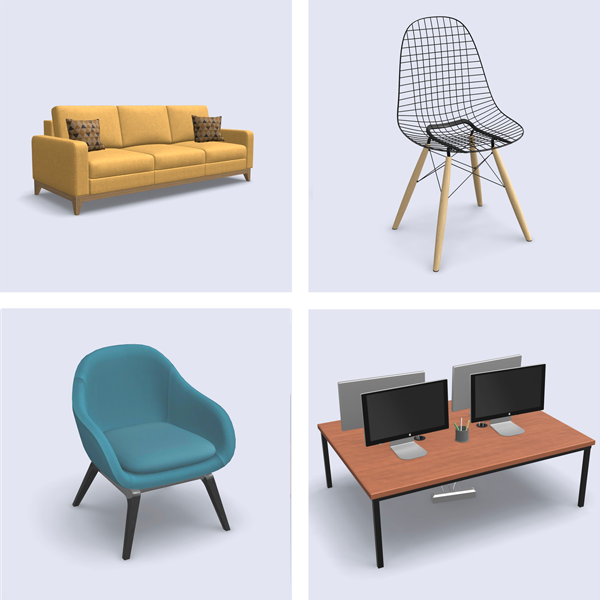
Bibliothèque de meubles 3D
Parcourez une bibliothèque 3D de milliers de meubles, équipements et objets déco. Glissez dans votre plan, personnalisez les matériaux, visualisez en 3D. Plan gratuit, sans installation.
Concevez votre plan en 3D
Rejoignez plus de 6 millions d’utilisateurs. Créez des plans, aménagez des pièces et visualisez-les en 3D directement dans votre navigateur.