Creazione di piante 3D
Progetta le tue piante 3D nel browser. Cammina nelle stanze, prova i materiali ed esplora il tuo progetto. Piano gratuito, senza installazione.
Disegna una pianta in 2D, passa al 3D con un solo clic e cammina nel tuo progetto prima che venga costruito un solo muro. Space Designer 3D è un software di pianta 3D online che si utilizza direttamente dal browser. Nessuna installazione, nessuna scheda grafica richiesta, nessun visualizzatore separato.
Come funziona la progettazione di piante 3D
Inizia tracciando le pareti nella vista Pianta 2D. Clicca per posizionare ogni segmento. L'editor si allinea automaticamente agli angoli standard e alle pareti esistenti. Aggiungi porte, finestre e aperture dalla libreria integrata. Quando il layout è pronto, passa al 3D con un clic. La tua pianta 2D diventa una pianta 3D completamente navigabile. Nessun passaggio di esportazione, nessuna attesa di rendering, nessuna applicazione separata.
In modalità 3D, cammina nelle stanze in prima persona, orbita il modello da qualsiasi angolazione nella vista Maquette 3D, cambia materiali e colori e riorganizza i mobili. Ogni modifica si riflette in tempo reale sia in 2D sia in 3D.
Passo dopo passo
- Disegna le pareti nella vista Pianta 2D.
- Aggiungi porte e finestre dalla libreria.
- Passa al 3D con un clic per vedere la tua pianta 3D.
- Trascina i mobili dal catalogo di oggetti 3D nella tua pianta.
- Cammina nel tuo progetto in prima persona.
- Regola materiali, colori e illuminazione in tempo reale.
- Esporta o condividi la tua pianta 3D.
Prova il software di pianta 3D online gratis
Capacità integrate di pianta 3D
| Capacità | Cosa fa |
|---|---|
| Rendering 3D in tempo reale | La tua pianta 2D diventa una pianta 3D all'istante. Nessuna attesa di rendering, nessuna conversione di file. |
| Visita in prima persona | Spostati nelle stanze come se fossi dentro lo spazio. |
| Telecamera orbitale nella vista Maquette 3D | Ruota, inclina e zooma sulla pianta 3D completa da qualsiasi angolazione. |
| Supporto multipiano | Progetta case con più piani, collegali e naviga tra i livelli. |
| Cambio materiali in tempo reale | Modifica pavimenti, colori delle pareti, piani di lavoro e superfici direttamente in 3D. |
| Catalogo mobili 3D | Trascina migliaia di oggetti dal catalogo nella tua pianta. Ogni oggetto appare in 3D con dimensioni precise. |
| Simulazione sole e cielo | Verifica come la luce naturale entra nella tua pianta 3D a qualsiasi ora del giorno. |
| Nel browser, senza installazione | Funziona in Chrome, Safari, Edge e Firefox. Nessuna scheda grafica richiesta. |
| Link 3D condivisibile | Invia la tua pianta 3D a clienti o artigiani. La aprono nel browser, senza account. |
Chi usa il software di pianta 3D
I privati pianificano ristrutturazioni e disposizioni dei mobili prima di spendere un euro. La pianta 3D interattiva risponde a domande che una pianta 2D non può risolvere: il divano a L farà sembrare il soggiorno troppo stretto? C'è abbastanza spazio tra l'isola della cucina e il tavolo da pranzo? Prova ogni opzione virtualmente.
Gli architetti d'interni presentano progetti di pianta 3D che i clienti possono vivere, non solo leggere. Le moodboard statiche diventano visite 3D complete. Cambiare materiali e finiture in diretta riduce i cicli di revisione mostrando opzioni sul momento.
Gli agenti immobiliari creano visite immersive a partire da una semplice pianta 3D. Gli appartamenti vuoti diventano spazi arredati, le ristrutturazioni vengono visualizzate prima dei lavori.
Gli architetti usano il creatore di piante 3D per la comunicazione di concept nelle fasi iniziali con clienti e parti interessate. L'accesso dal browser consente a tutti di rivedere il progetto senza installare software.
Insegnanti e studenti sviluppano il ragionamento spaziale passando dal 2D al 3D in pochi secondi, su qualsiasi computer scolastico o Chromebook.
Inizia a progettare piante 3D ora
Space Designer 3D rispetto ad altri software di pianta 3D
| Capacità | Space Designer 3D | Software di pianta 3D tipico |
|---|---|---|
| Nel browser, senza download | Sì | Spesso installazione desktop |
| Passaggio istantaneo da 2D a 3D | Sì, stesso progetto | Spesso richiede esportazione/importazione |
| Visita in prima persona | Sì | Non sempre disponibile |
| Anteprima materiali in tempo reale in 3D | Sì | Spesso solo 2D |
| Supporto multipiano | Sì | Raro nelle versioni gratuite |
| Catalogo mobili 3D | Migliaia di oggetti | Limitato |
| Formati di esportazione | PNG, PDF, DXF, IFC, GLTF, SVG | Spesso solo PNG |
| Piano gratuito | Piano gratuito | Variabile |
Domande frequenti
Cos'è un software di pianta 3D?
Un software di pianta 3D ti permette di progettare un layout e visualizzarlo in tre dimensioni, con pareti, mobili, materiali e illuminazione visibili da qualsiasi angolazione. Space Designer 3D è un software di pianta 3D online: disegna in 2D, passa al 3D, cammina nel risultato, tutto nel browser senza installare nulla.
Esiste un software di pianta 3D gratuito?
Space Designer 3D offre un piano gratuito del software completo, con accesso agli editor 2D e 3D, al catalogo mobili e alle esportazioni di base. I piani a pagamento sbloccano funzionalità avanzate come il rendering fotorealistico e le esportazioni CAD/BIM. Inizia gratis.
Qual è il miglior software di pianta 3D?
Il miglior software di pianta 3D dipende dalle tue esigenze. Space Designer 3D gode della fiducia degli utenti che condividono regolarmente recensioni positive su Trustpilot. Funziona in qualsiasi browser, supporta progetti multipiano e include visita 3D e rendering 3D fotorealistico. Confronta le opzioni nel nostro confronto di software di pianta.
Posso creare una pianta 3D online gratuitamente?
Puoi provare Space Designer 3D online con un piano gratuito. La prova dà accesso completo agli editor 2D e 3D, al catalogo mobili e alle esportazioni di base. Inizia gratis.
Mi serve un computer potente per il 3D?
No. Space Designer 3D funziona nel browser tramite WebGL, supportato da praticamente tutti i computer moderni, inclusi laptop e Chromebook. Non è richiesta una scheda grafica dedicata.
Posso disegnare una pianta 3D per un edificio a più piani?
Sì. Puoi creare più livelli e collegarli. Ogni livello ha la sua pianta 2D e condivide una vista 3D comune. Naviga tra i livelli con un clic o mostra l'intero edificio in una volta.
La pianta 3D è precisa?
Sì. Ogni parete, porta, finestra e oggetto posizionato nella tua pianta 2D ha dimensioni reali. La vista 3D è una rappresentazione geometrica fedele del tuo progetto, non un'illustrazione stilizzata.
Posso condividere la mia pianta 3D con un cliente?
Sì. Genera un link condivisibile e invialo via email o messaggistica. Il destinatario apre la pianta 3D nel browser, senza account o installazione.
E se voglio un rendering fotorealistico della mia pianta 3D?
La visita 3D in tempo reale è inclusa in tutti i piani. Per immagini fotorealistiche, consulta le nostre funzionalità di rendering 3D: render con un clic, AI Boost ed embed condivisibili.
In cosa differisce da uno strumento solo 2D?
Uno strumento solo 2D dà una vista dall'alto. Space Designer 3D ti dà entrambe: la pianta 2D che disegni e l'esperienza pianta 3D di stare nello spazio, nello stesso progetto. Consulta il nostro editor di pianta 2D.
Scopri più funzionalità
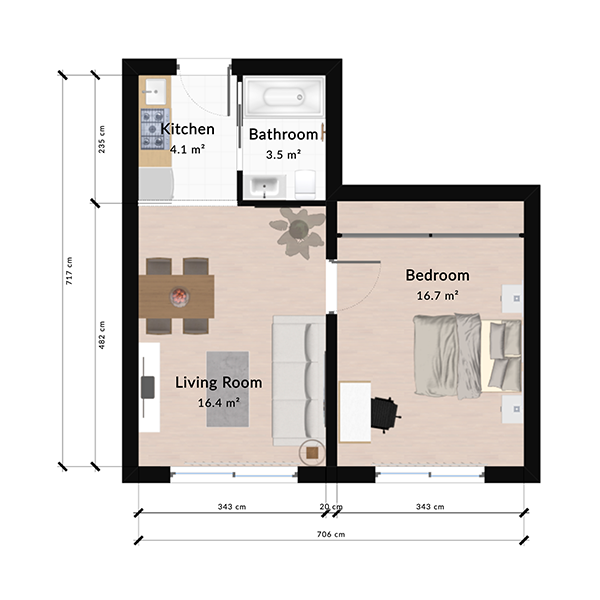
Creazione di piante 2D
Disegna piante 2D precise online con misure automatiche, allineamento intelligente delle pareti e anteprima 3D istantanea. Piano gratuito, senza installazione.
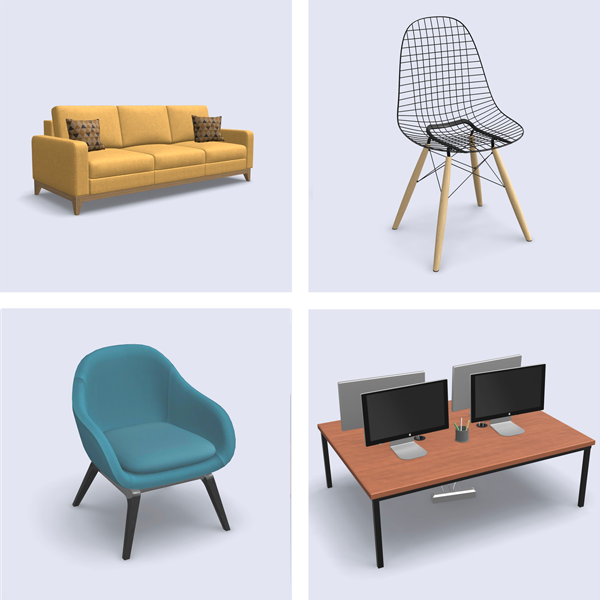
Libreria di mobili 3D
Esplora una libreria 3D con migliaia di mobili, complementi d'arredo e oggetti decorativi. Trascinali nella tua pianta, personalizza i materiali e visualizzali subito in 3D. Piano gratuito, senza installazione.
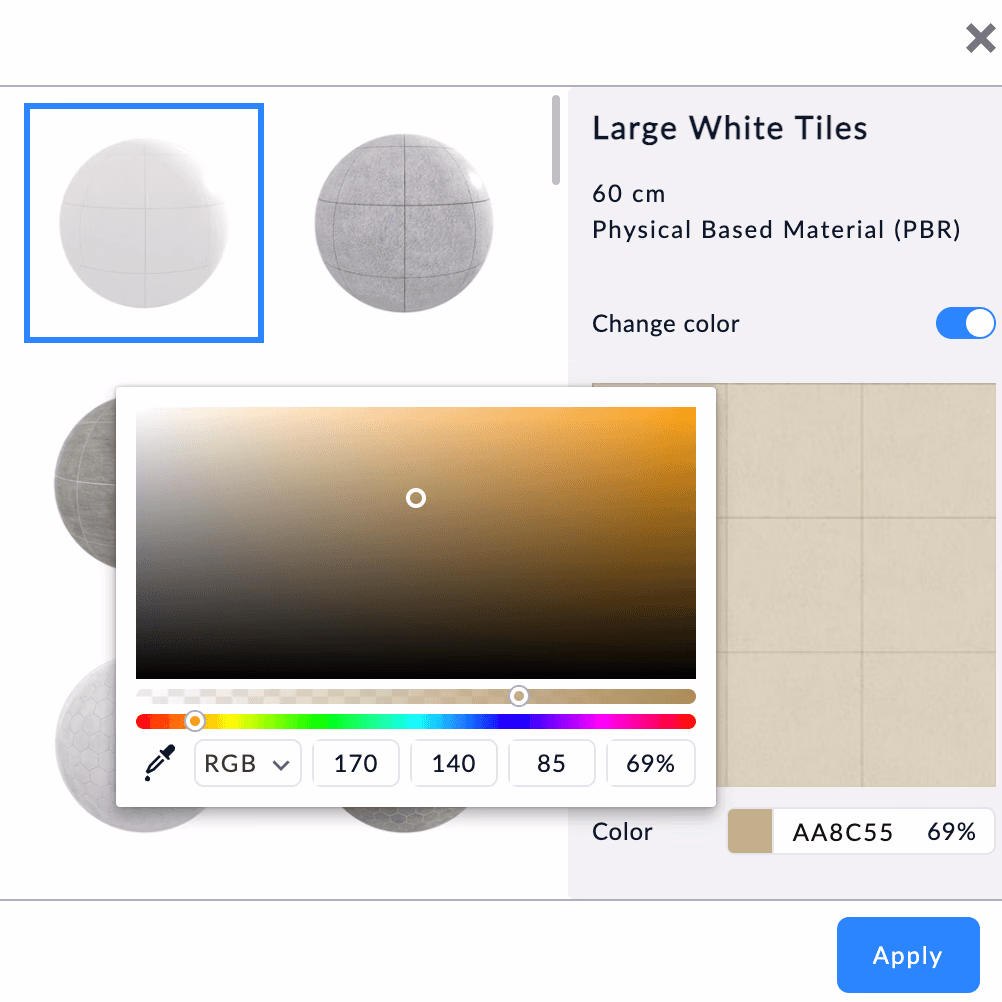
Materiali e texture
Modifica i materiali in tempo reale con finiture fotorealistiche per legno, piastrelle, vernice e tessuto. Applica le finiture a pavimenti, pareti o soffitti con un clic.