Share Your Project
The share button at the right of the top bar opens a menu with the rows your site enables: Like and Share for Facebook, Post for X, Link, and, signed in, Email. Link opens the dialog below.
There are three ways out of a project, and the difference between them is what the person at the other end is allowed to do.
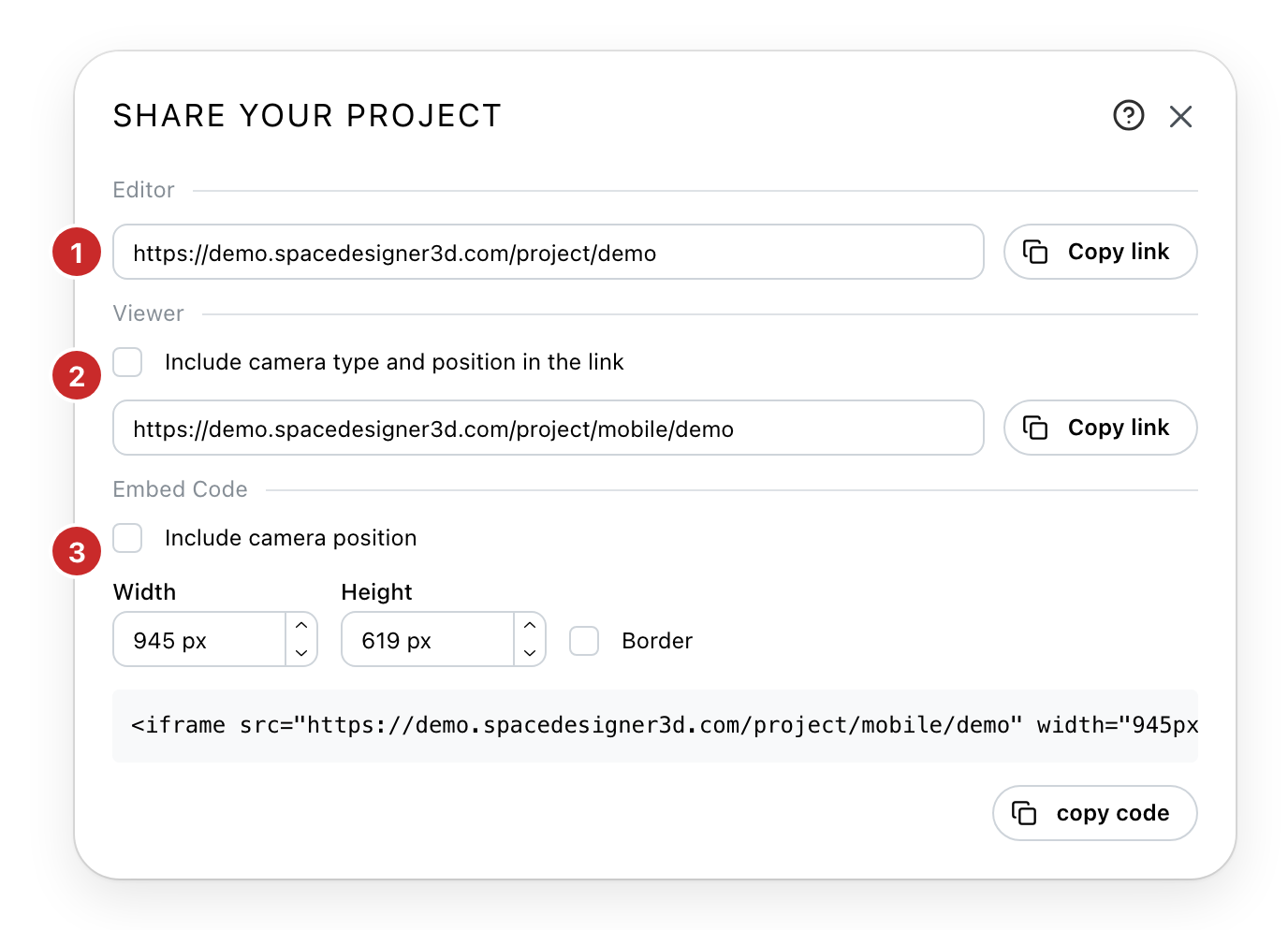
- The editor link. Whoever opens it can change the project. Send it to someone working on it with you.
- The viewer link. The project can be walked through and looked at, and not touched. This is the one to send a client. Ticking the box above it fixes the camera, so the project opens on the view and the place you are looking at now rather than its default.
- The embed code. The same viewer, inside a page of your own, on the sites that allow it. Its own box fixes the camera the same way. Set the size it should occupy and whether it draws a border, then copy the code into your page.
The links keep working as you carry on editing: they point at the project, not at a copy of it.
By email
The same link, sent for you: Email in the share menu, once you are signed in.
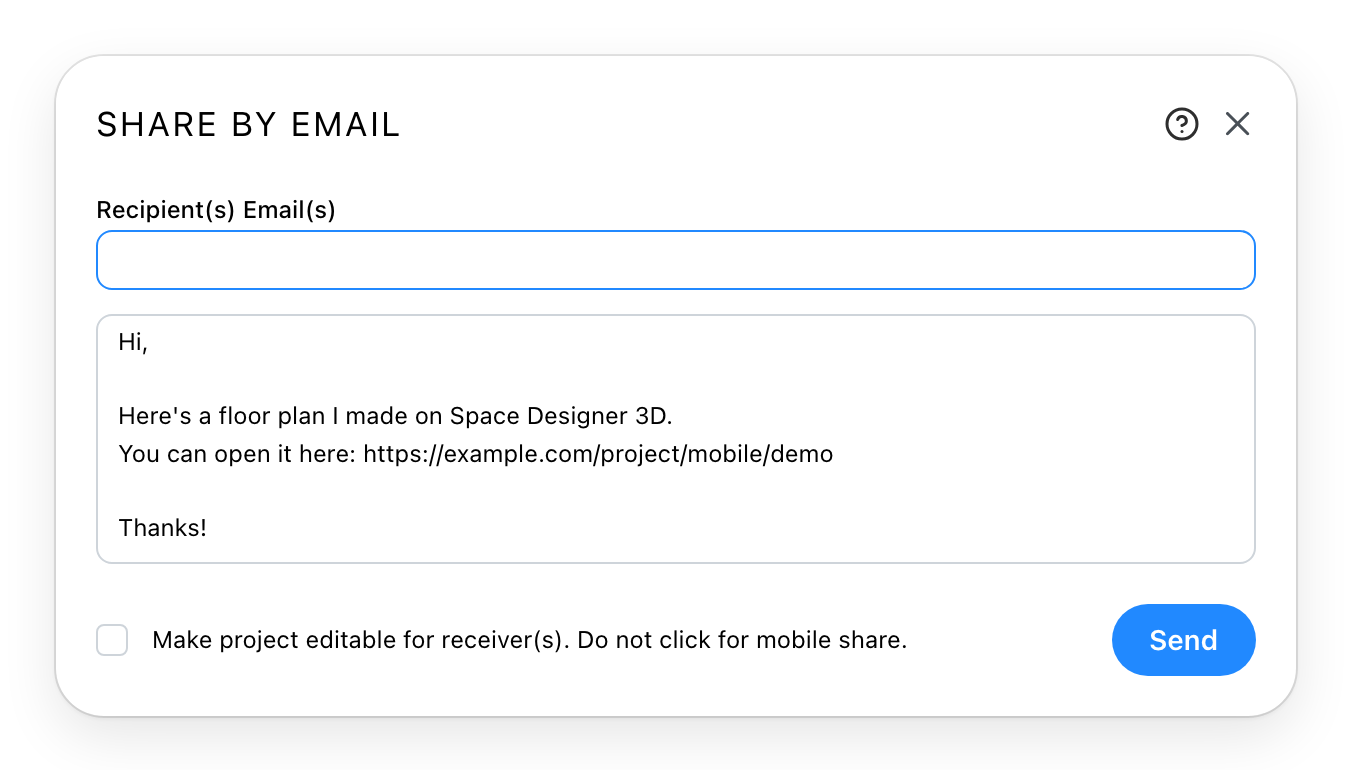
Recipient(s) takes several addresses separated by commas. The message is written for you with the link already in it, and you can rewrite any of it as long as you leave the link.
The tick at the bottom sends the editor link instead of the viewer one, so whoever opens it can change the project. It appears only on a project you own, on the sites that allow it.