The Materials tab
The Materials tab dresses the surfaces of your project: pick a material or a colour, then tap the side of a wall, a floor or a ceiling to paint it. It opens from its tile on the left rail, just below the catalogue's. It is laid out like the catalogue, the categories on one side and what they hold on the other. What it holds depends on your site, so the categories below are an example rather than a list.
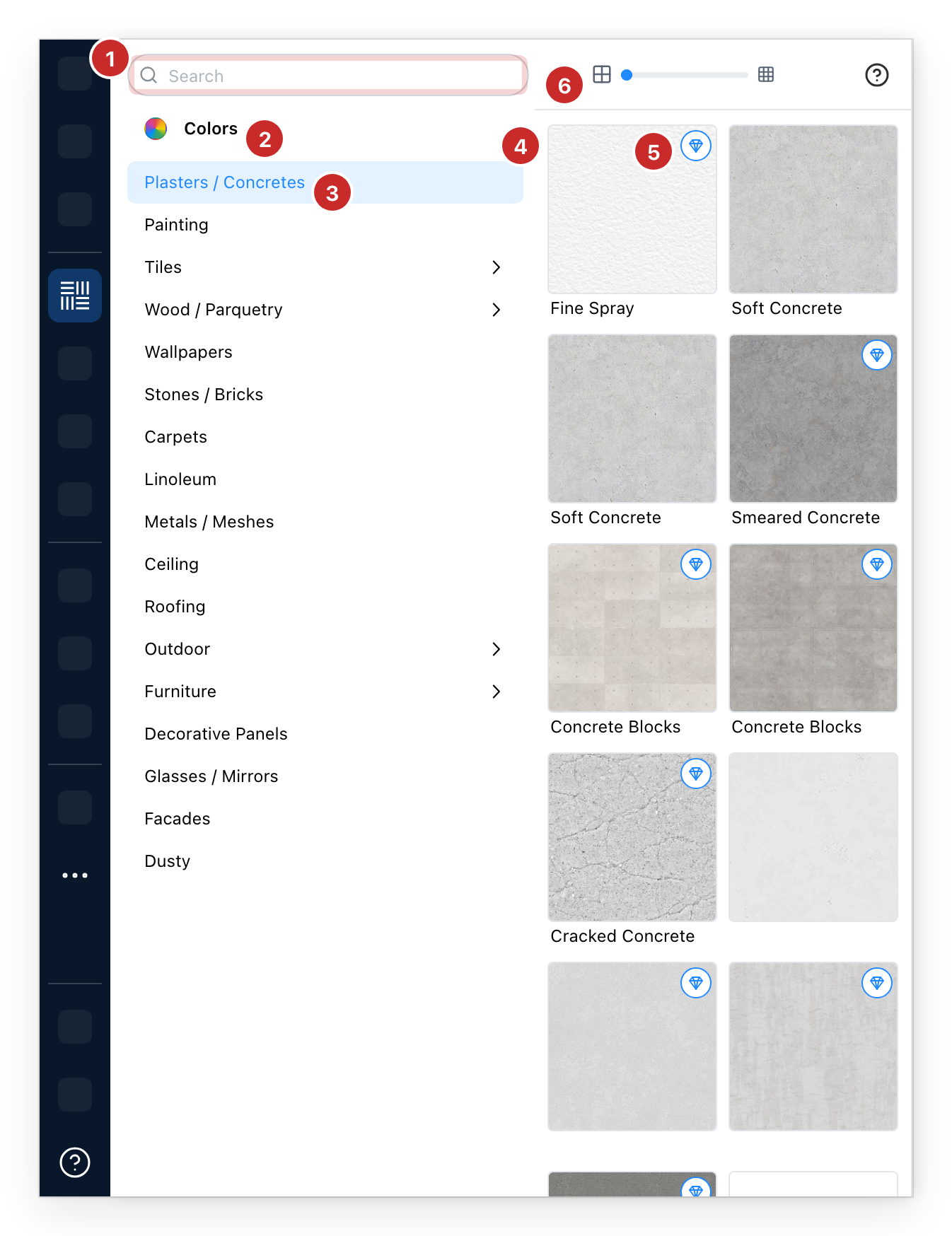
- Search. Across every material your site offers, by name. The results are grouped under the name of their category.
- Colors. Plain paints rather than textures, at the top of the list.
- The categories. One with an arrow holds more inside; opening it goes a level deeper.
- The materials. Tap one to load the brush: the tile gets a blue ring and a check. Hovering a tile gives its full name.
- The diamond. This material is not in your plan. Tapping it explains how to get it.
- Thumbnail size. Smaller tiles when you want to see more materials at once. The arrow before it closes the list and leaves the categories alone on screen.
Painting
With a material chosen, tap what it should cover:
- a wall: only the side you tap;
- a floor: on the plan as in 3D;
- a ceiling: in 3D, where the ceiling can be seen.
On a computer, a brush and the material's tile follow the mouse over the project, and the surface under the pointer lightens before you click.
The brush stays loaded after each surface, so you can paint the walls of a room one after
the other. To put it down, tap the checked tile again, press Esc, right-click or close the tab.
On a tablet, Esc is on the virtual keyboard.
Undo takes back the last surface painted, one surface at a time.
Colors
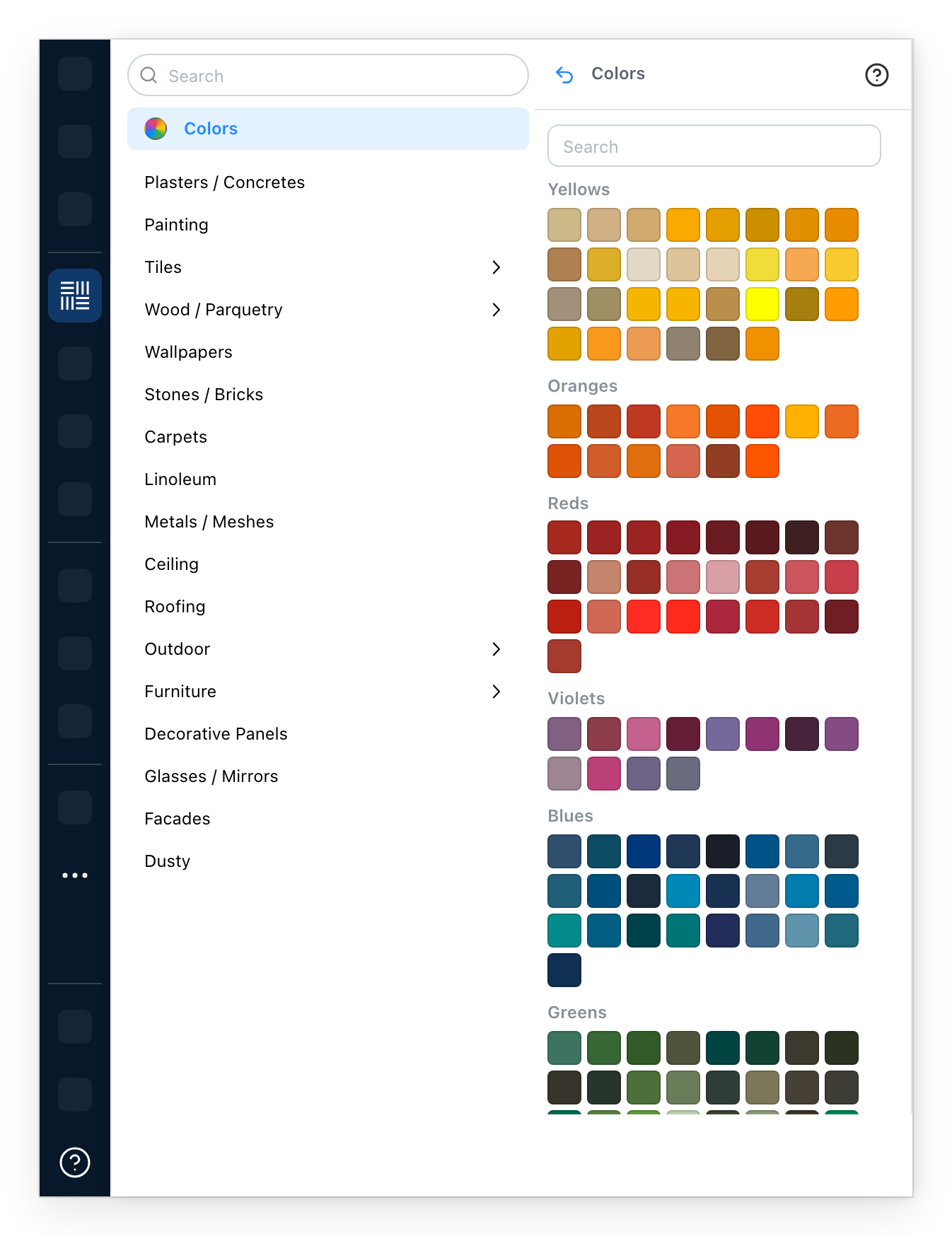
The colours are grouped by family; hovering one gives its name and its RAL code. The field above searches by name or by code. A colour paints like a material: tap it, then the surfaces.
See also
- Materials, the dialog that sets the material of a selected surface, down to the bands of a wall.
- Catalog, laid out the same way, for objects.
- Virtual keyboard, for
Escon a tablet.